


A Process is an organized group of related activities, tasks and procedures, that together create a result of value to the customer, and once completed, will accomplish an organizational goal. In the context of EPC, Processes can be under a set, or under another process as a sub-process. There can be many levels of processes; these are arranged in a hierarchical structure to simplify navigation and organization.
Modelers can create new Processes on the WebApp, using one of the following ways:
- Via the New in the top-right of the EPC WebApp, which we will talk about here.
- Via a right-click on a process or process set in the hierarchy tree
- Via the Details page of a Set or Process.
Creating a Process using the New button:
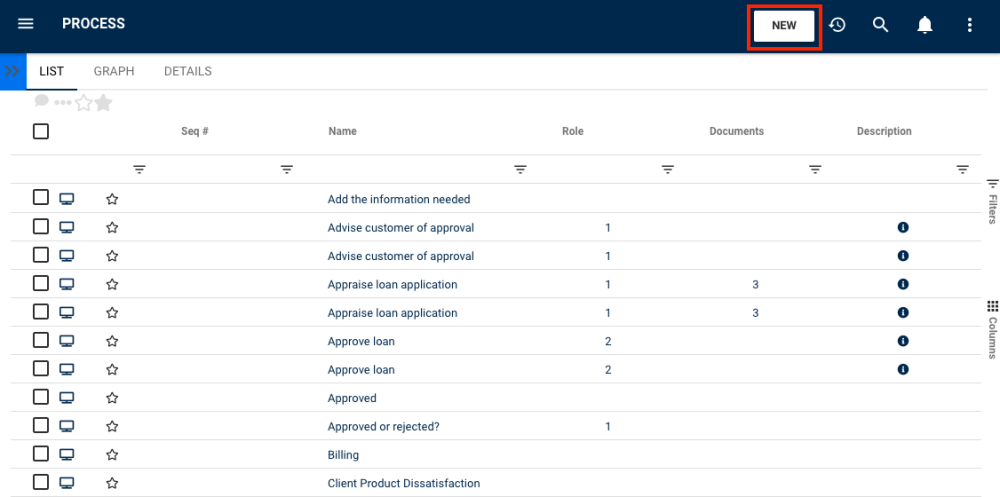
1. Navigate to the New button on the top-right of the EPC WebApp page.
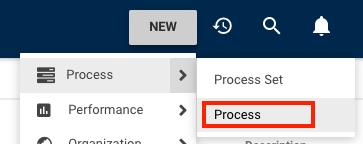
2. Navigate to the Process box and click on the  icon. Another drop-down menu will appear with the two different objects that can be created within the Process Module. Click on the “Process” box to create a new Process.
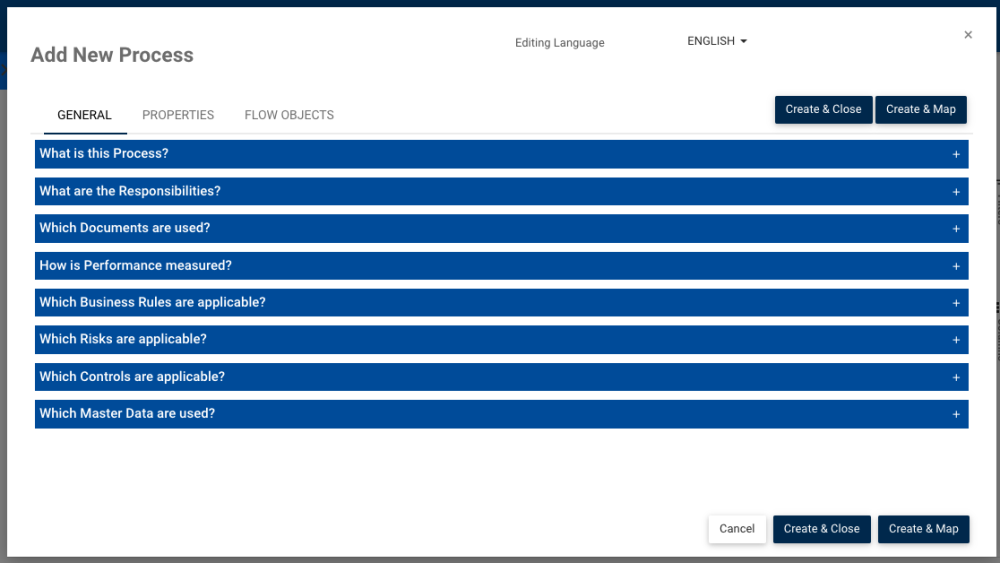
3. A window will be generated where you can input the information about the new Process.
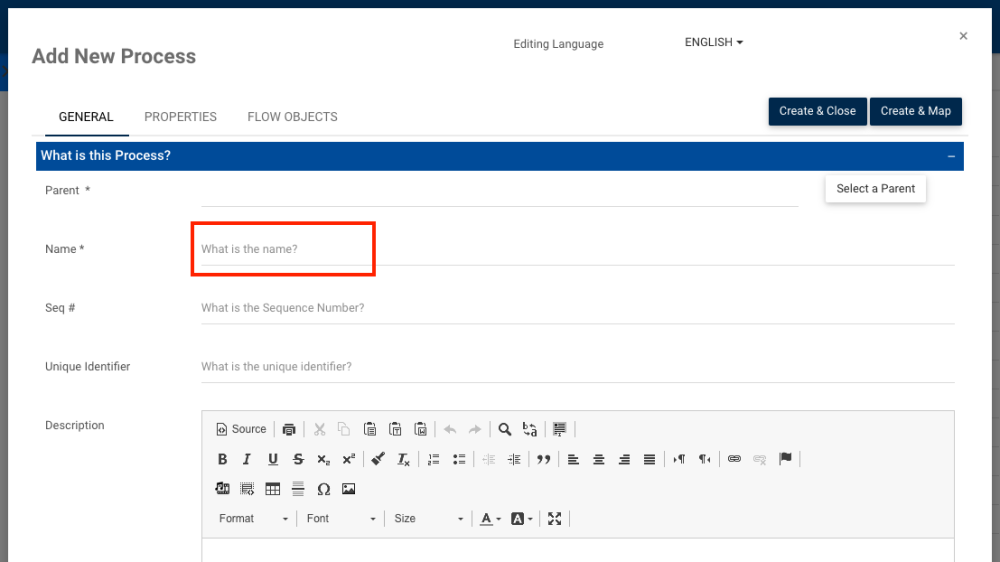
4. Type the name of the Process on the “What is the name?” field and select a parent Process. Without a name and a parent process, the process can’t be created.
5. Next, you can:
a) Click on the button  to create and close the new Process.
b) Click on the button  to create and map the new Process. If you choose this option, it will directly take you to this page for you to complete the graph:

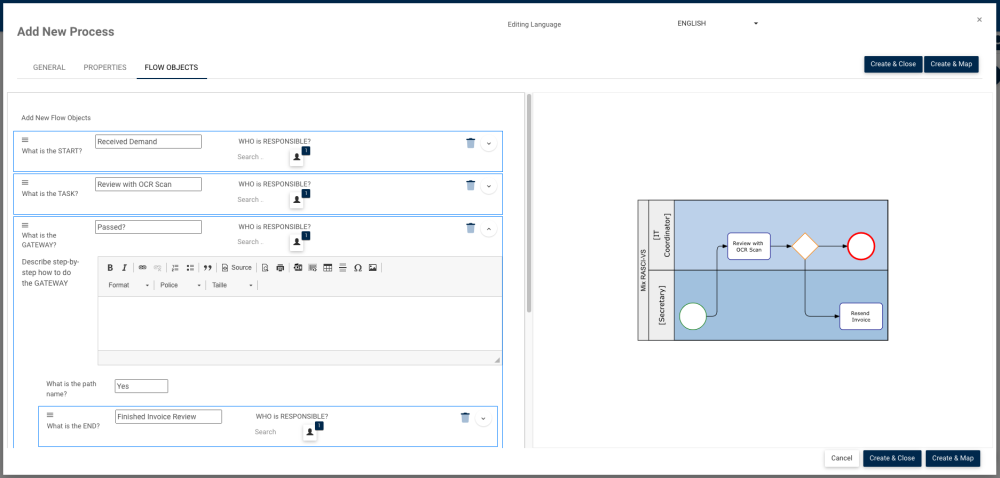
c) Click on the Flow Objects tab, where you can add flow objects, name them, write a description and assign the responsible role. A Swimlanes Map preview will be generated as you add flow objects, to give you a glance of what the process map will look like once created:
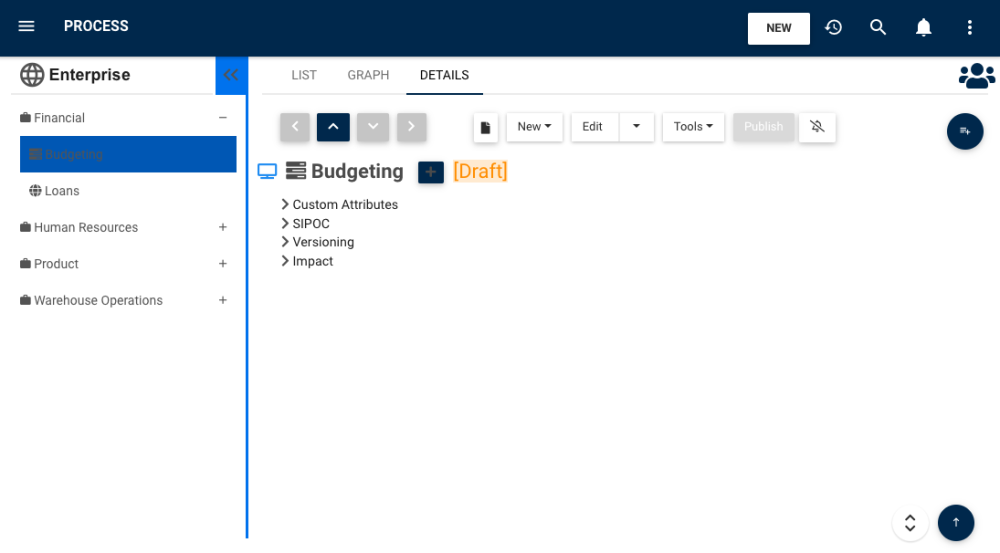
6. The new Process “Budgeting” is now on the Process tree structure. This process is currently a draft. To learn how to publish Process objects, click here
Need more help with this?
Visit the Support Portal