

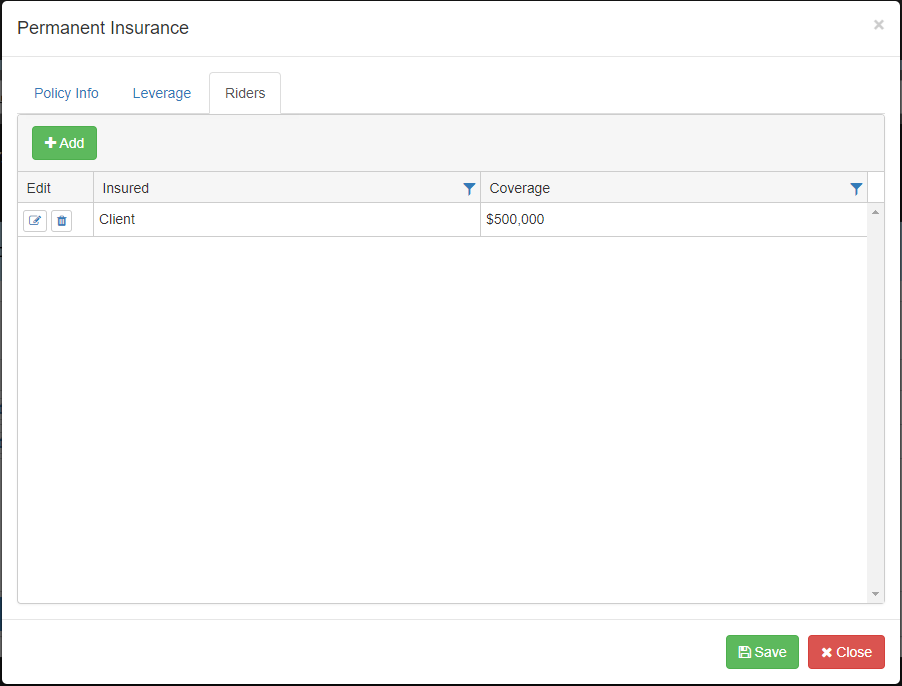
Riders to insurance policies are entered and displayed on the Riders tab of Permanent Insurance screen. Add insurance riders by clicking the  button. The Term Rider screen will appear and is where the data for the insurance rider is entered.
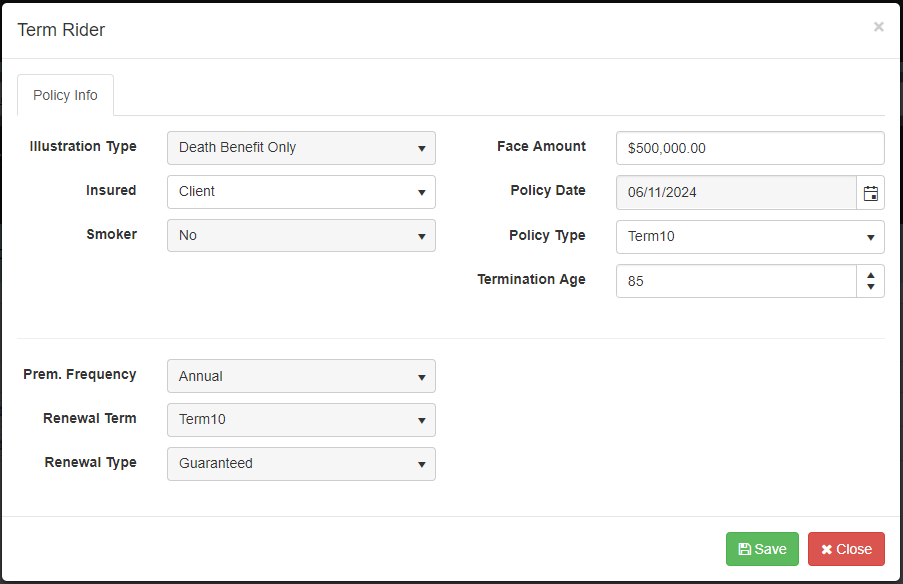
Illustration Type: This field displays the illustration type that is selected for the main insurance policy.
Insured: Specify who is insured by the rider by selecting ‘Client’ or ‘Spouse’ from the drop-drown.
Smoker: This field displays the smoker status of the main policy and cannot be changed unless changed on the main policy.
Face Amount: Enter the face amount of the death benefit for the rider.
Policy Date: This field displays the policy date of the main policy and cannot be changed unless changed on the main policy.
Policy Type: Select the term of the rider by selecting either ‘Term10’, ‘Term20’ or ‘Term30’ from the drop down.
Termination Age: Enter the age the rider terminates.
Prem. Frequency: The frequency of the main insurance policy premiums is displayed here.
Renewal Term: When enabled enter the renewal term for the rider by selecting ‘Term10’, ‘Term20’, ‘Term30’ or ‘Yearly Renewable Term’ from the drop down.
Renewal Type: When enabled enter the type of renewal for the rider by selecting ‘Guaranteed’ or ‘ReIssue’ from the drop down.
The insurance policy rider is added to the policy when the  button is clicked. To cancel adding the rider click the
  button. Each insurance policy rider is listed separately and can be edited or deleted.
 Edit – click here to open the data entry screen for the selected insurance policy.
 Delete – click this button to delete the insurance policy but deleting a policy will delete the policy from all scenarios.
Besoin d'aide supplémentaire avec ce sujet?
Contact Razor Support