

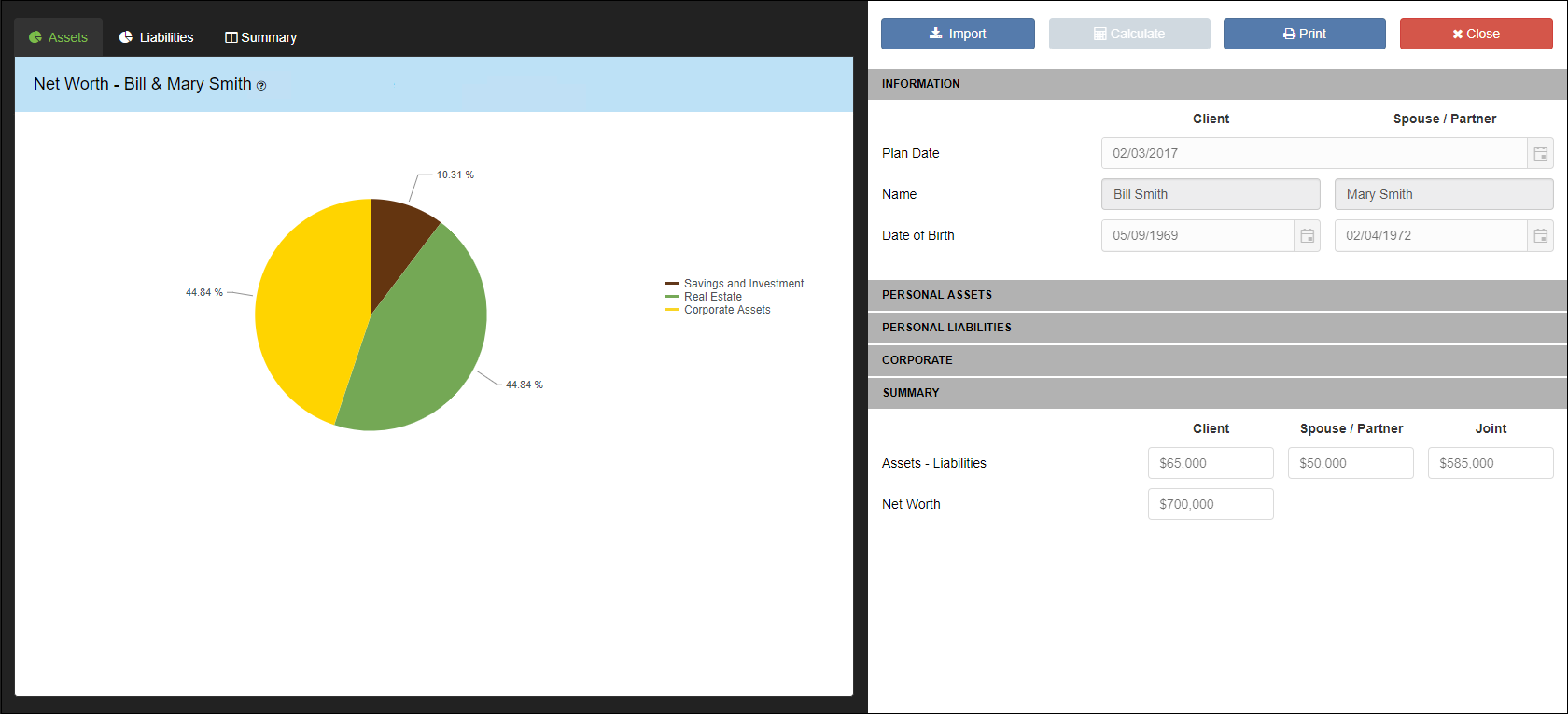
* Click here to download the Net Worth Worksheet.
The Net Worth Application allows you to create a net worth statement containing detailed assets and liabilities.
Start by entering the personal and corporate assets and liabilities into Application Data Entry.
*To save time, you can choose to import relevant data fields by clicking the  button. This will import applicable Application data fields from the main Data Entry of the client file.
Once all data has been entered, click the  button and the Application will compare Assets and Liabilities to calculate the overall Net Worth. There are three tabs included; Assets, Liabilities and Summary

- Assets – Includes a breakdown of all assets entered
- Liabilities – Includes a breakdown of all liabilities entered
- Summary – Demonstrates total asset and liabilities for the Client, Spouse/Partner, Joint Investments and overall Net Worth.
Personal Assets
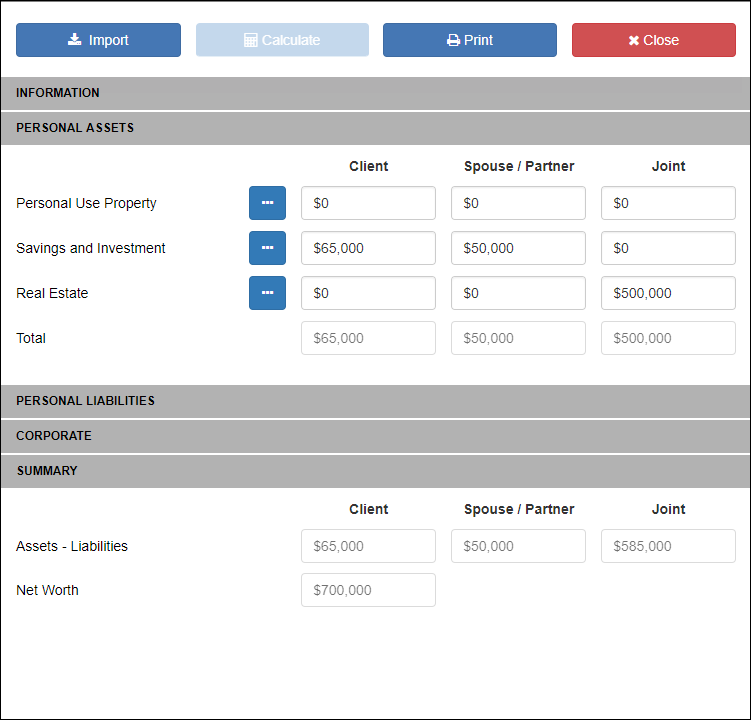
Enter all Personal Use Property, Savings and Investment, and Real Estate assets. You can enter an annual total amount in each category by simply typing into the field provided, or enter a detailed breakdown of each value by clicking the  button.
Personal Liabilities
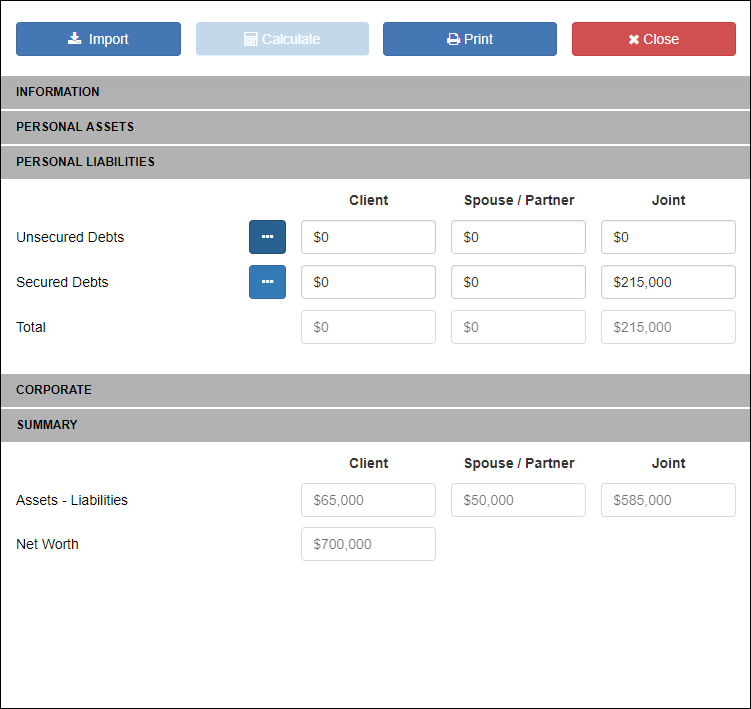
Enter all Unsecured and Secured Debts. You can enter an annual total amount in each category by simply typing into the field provided, or enter a detailed breakdown of each value by clicking the button.
Corporate
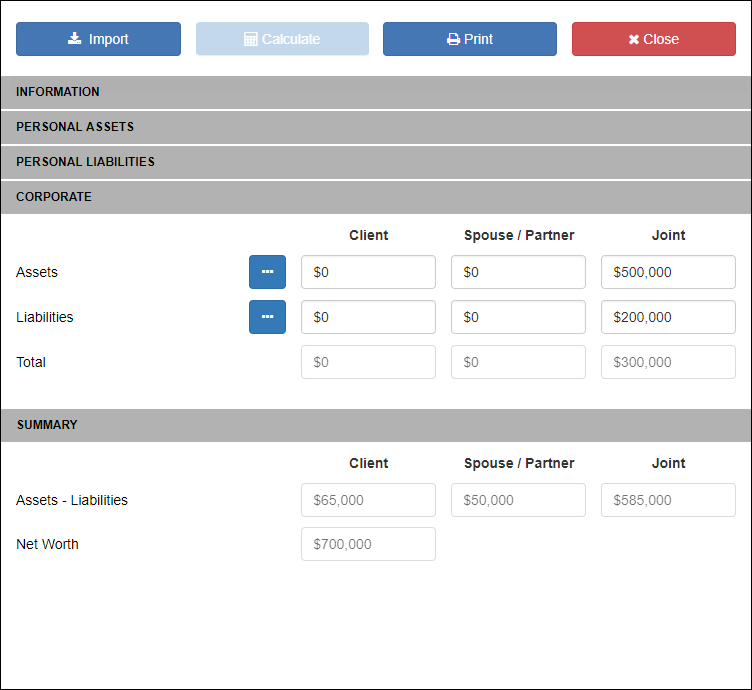
Enter all Corporate Assets and Liabilities. You can enter an annual total amount in each category by simply typing into the field provided, or enter a detailed breakdown of each value by clicking the button.
Summary
This area displays a Net Worth calculation for Client, Spouse/Partner and Joint assets individually. In addition, it displays the total Net Worth for the Client and Spouse/Partner combined.
Need more help with this?
Contact Razor Support