

Overview
The new model Kramer tablets will automatically download the latest updates via the cloud. If you prefer not to have auto updated applications, you can remove the URL from the firmware field of the application or firmware update fields of the settings.
Removing Auto Updates
Step 1 – Open settings on the tablet

Step 2 – Select Remote App Upgrade URL or Firmware Update
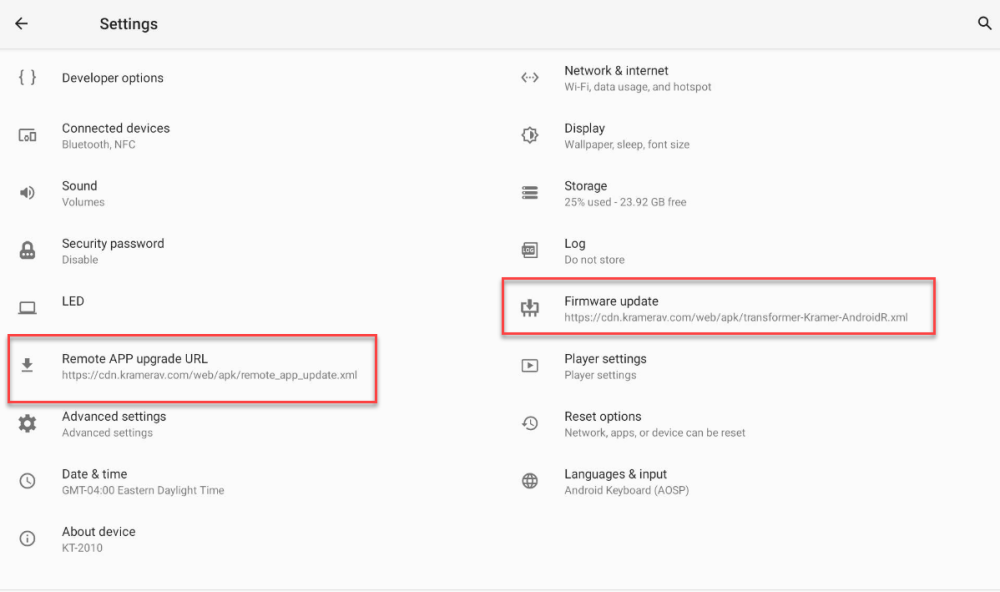
Step 3 – Click the URL and delete

Revision:
2
Last modified:
21 September 2023
Feedback
Copyright © 2025 Kramer
—
Powered by 
Post your comment on this topic.