

Flexijet’s keyboard shortcuts may be customized to your specifications.
- To use shortcuts, type the letter(s) into the command window and press ‘Enter’
To install the Standard English Flexijet Stone/FlexiCAD keyboard shortcuts:
Download the Flexijet Software Config Tool Click on the ‘Load English keyboard shortcuts’ button.
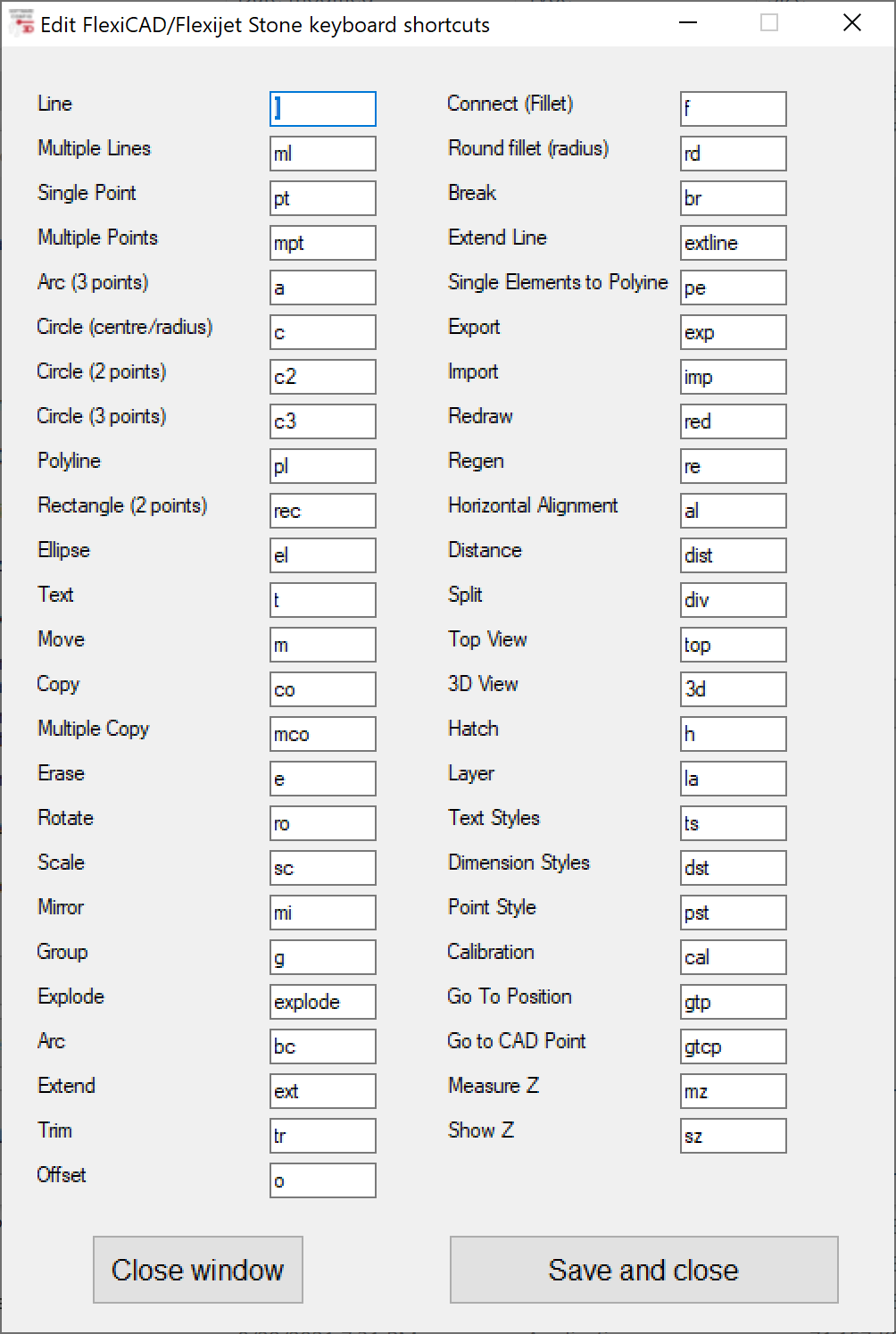
Default English keyboard shortcuts:
Download PDF: Flexijet Stone Software Shortcuts list
| Line | l | Connect Ends (Fillet) | f |
| Multiple Lines | ml | Round Fillet (Round corner) | rd |
| Point | pt | Break | br |
| Multiple Points | mpt | Lengthen Line | extline |
| Arc | a | Single elements to Polyline | pe |
| Circle | c | Export | exp |
| Circle (2 points) | c2 | Import | imp |
| Circle (3 points) | c3 | Redraw | red |
| Polyline | pl | Regenerate | re |
| 2-point Rectangle | rec | Horizontal Alignment | al |
| Ellipse | el | Distance | dist |
| Text | t | Divide object | div |
| Move | m | Top View | top |
| Copy | co | 3D View | 3d |
| Multiple Copies | mco | Hatch | h |
| Erase (Delete) | e | Layer | la |
| Rotate | ro | Text Style | ts |
| Scale | sc | Dimension Style | dst |
| Mirror | mi | Point Style | pst |
| Group | g | Calibration | cal |
| Explode | explode | Go to Position | gtp |
| Break Circle | bc | Go to CAD point | gtcp |
| Extend | ext | Measure Z | mz |
| Trim | tr | Show Z | sz |
| Offset | o |
Permanent Shortcuts:
| Save | Ctrl-S | Open | Ctrl-O |
| Copy | Ctrl-C | New | Ctrl-N |
| Paste | Ctrl-V | Undo | Ctrl-Z |
| Object Snap on/off | F3 | 2D-Snap/3D-Snap | F9 |
| Orthogonal on/off | F8 |
To modify these shortcuts
Open the Flexijet Software Config Tool Click on the ‘Edit Keyboard shortcuts’ button. Save and close when completed.
Feedback
Copyright © 2025 Flexijet GmbH
—
Powered by 
Post your comment on this topic.