

- Open the RVI PC viewer.
- Drag and drop a file onto the RVI PC viewer window.
- Click the
 button in the bottom left hand corner of the RVI PC viewer.
 button in the bottom left hand corner of the RVI PC viewer.
- Index the document through the RVI PC Viewer BC/OCR window.
- Click
 to exit the BC/OCR window. Leave the RVI pc viewer open.

 to exit the BC/OCR window. Leave the RVI pc viewer open.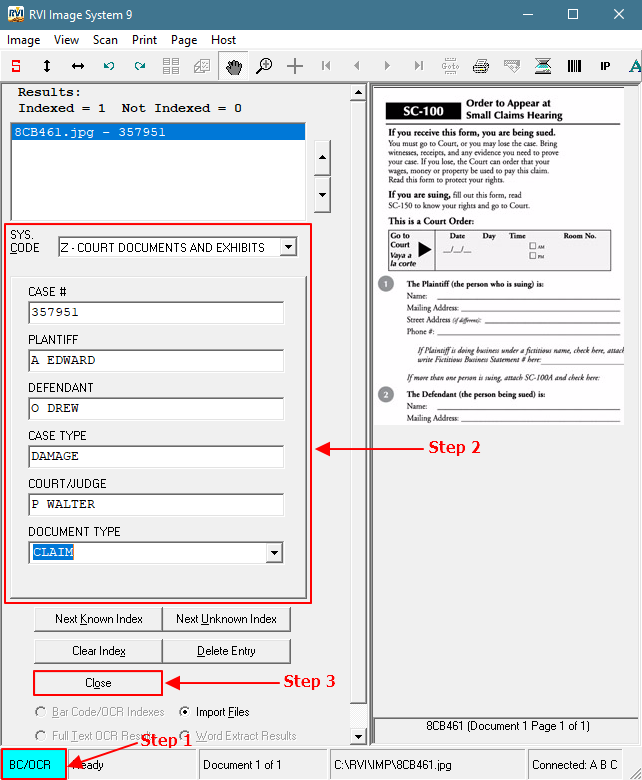
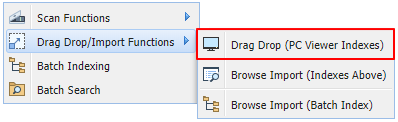
- From One Look, select Functions, Drag Drop/Import Functions, Drag Drop (PC Viewer Indexes).
")
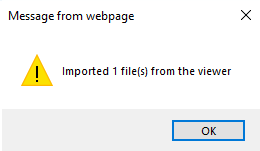
The webpage will display a confirmation message when the file(s) have been successfully imported.
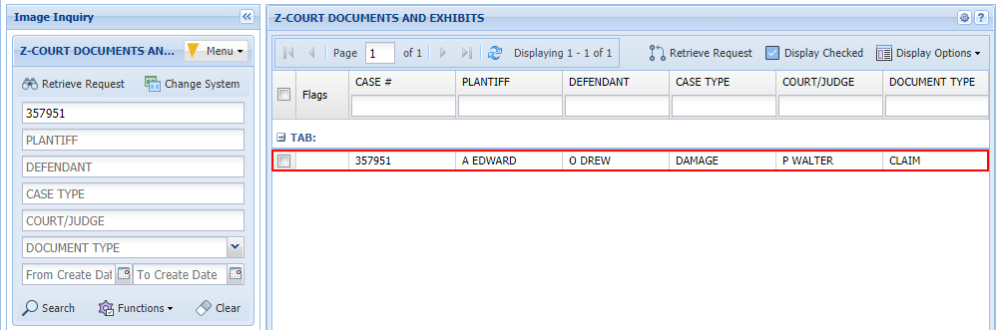
The documents are now available for search and inquiry.
Post your comment on this topic.