

Index documents at import time using the One Look interface.
From Image Inquiry:
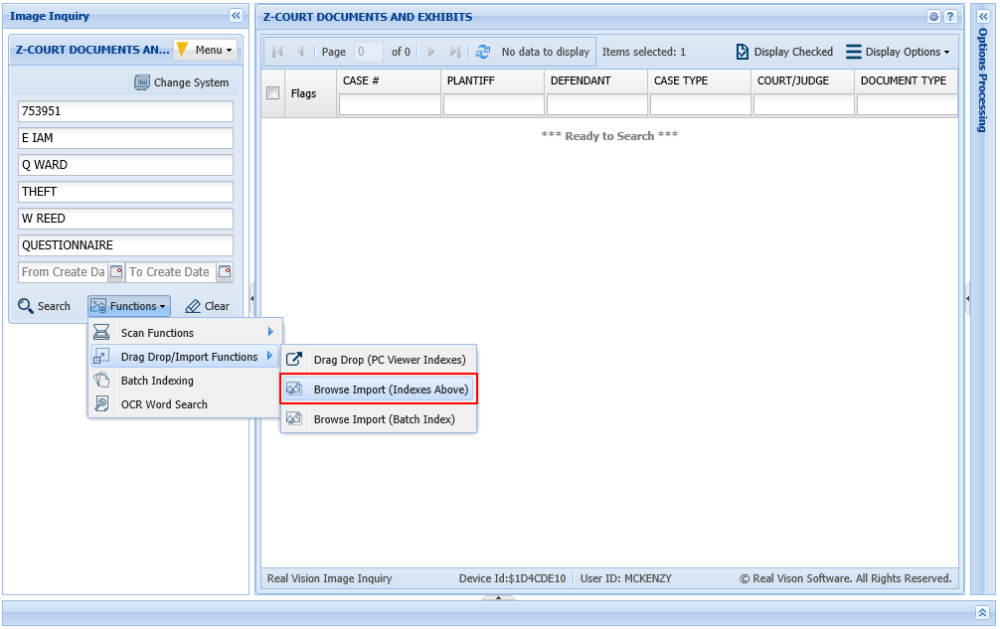
- Select your desired system and enter the indexes values to be associated with the import.
- Select Functions, Drag Drop/Import Functions, Browse Import (Indexes Above).
")
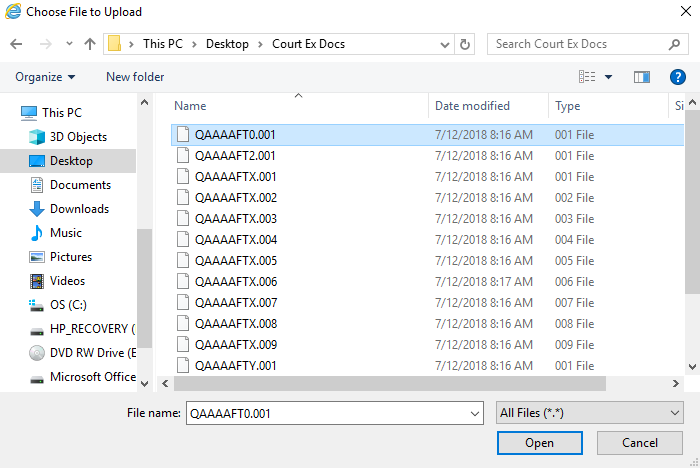
- Navigate to the file location.
- Select one or more files then click OPEN.
If multiple files are selected, they will be combined into a single record.
 |
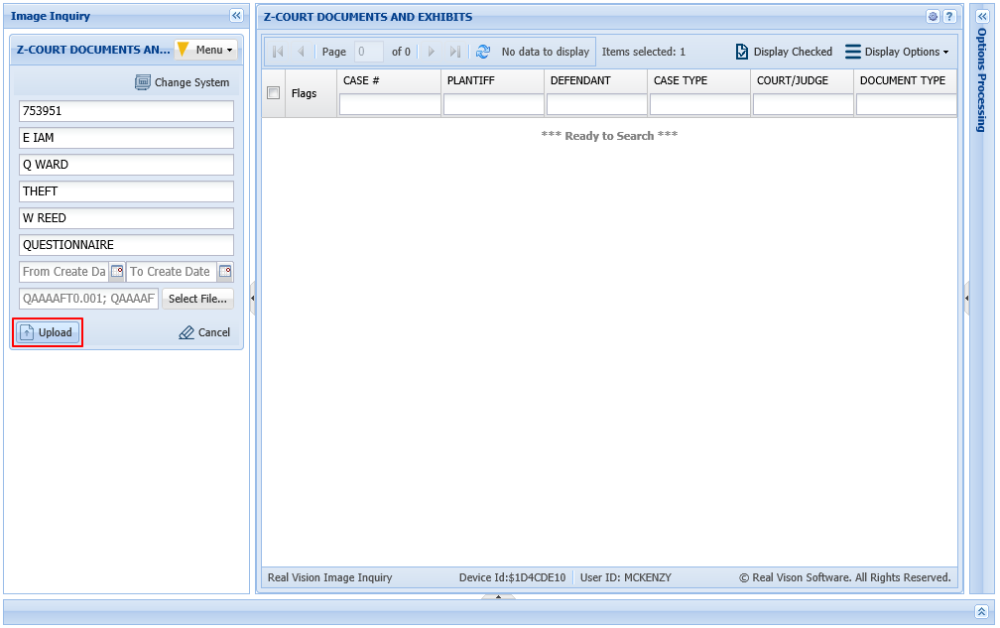
- Click the Upload button to transmit the file(s) to the server.

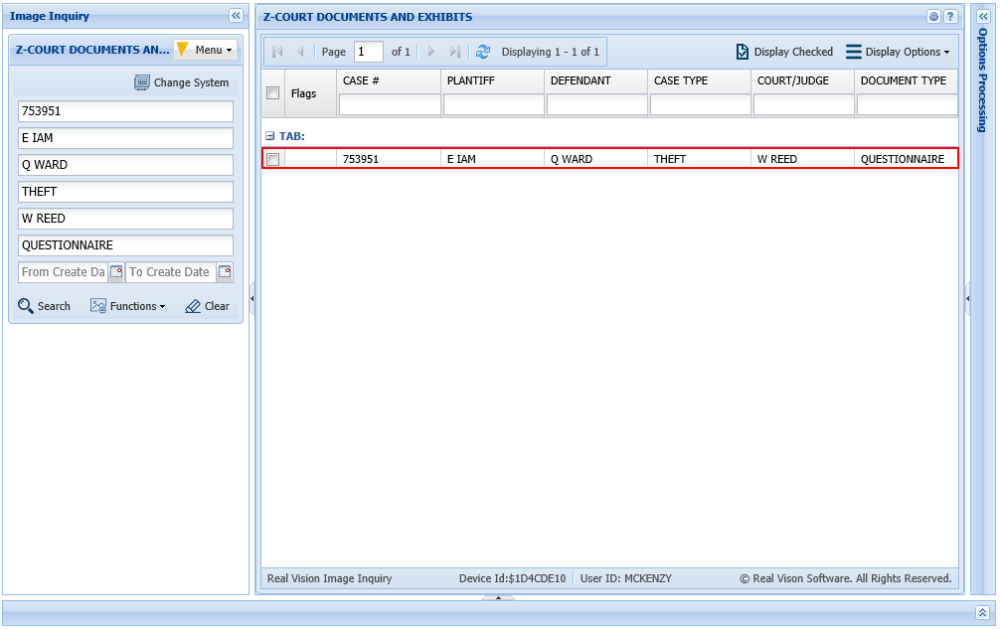
The system will automatically refresh the One Look window showing the newly imported record.
 |
Post your comment on this topic.