


Modelers can directly Edit the Analysis data from Graph Edit mode.
To access Edit analysis from graph edit, please follow the steps below:
1. Navigate to the Graph page or the desired process, and click on the edit button
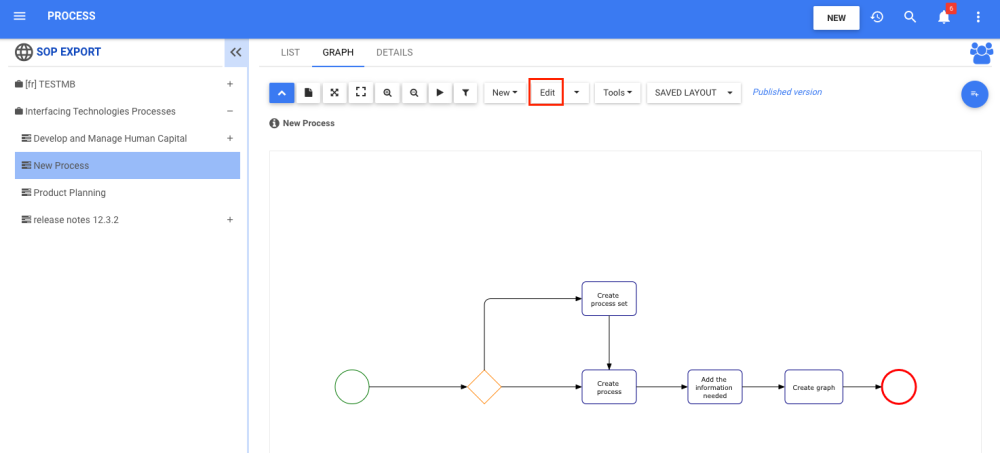
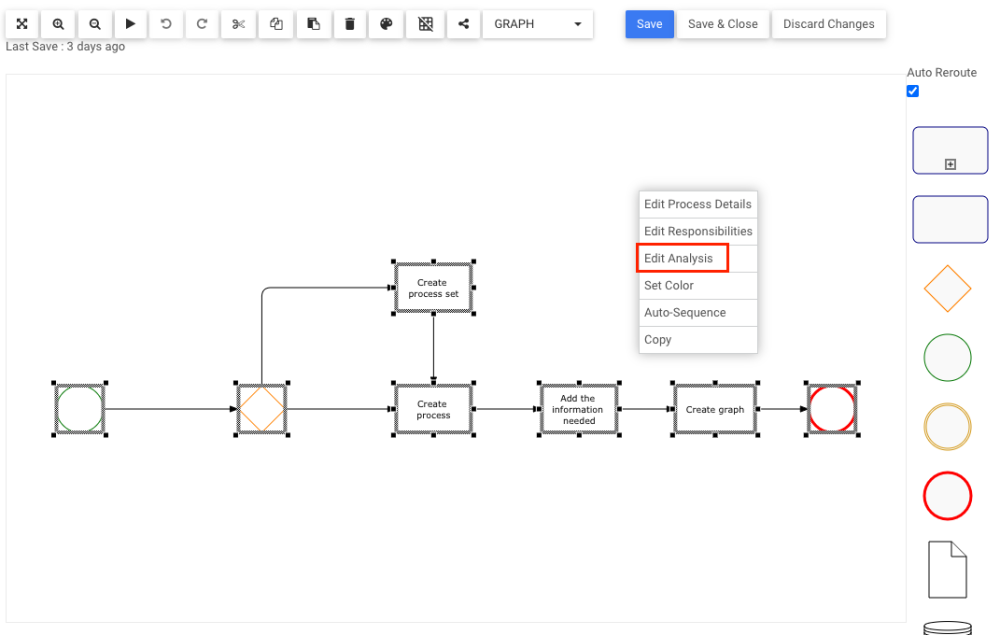
2. The user will be on the Edit Process Graph page. Right-click anywhere where there is blank space. Click on the Edit Analysis button.
3. A pop-up window will appear like so:
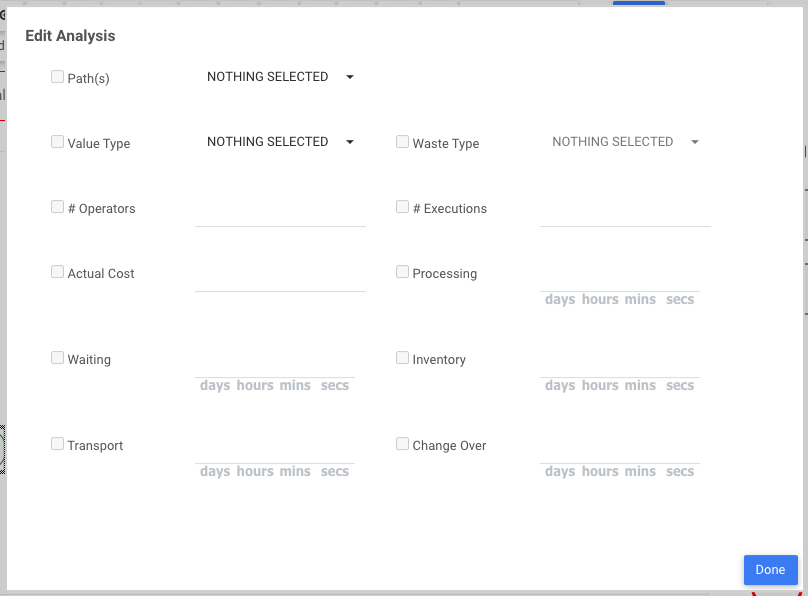
| Analysis Attribute | Description | Format / Option |
|---|---|---|
| Path | If the process or activity is on the Critical (longest) path and/or on the High Risk Path | None, Critical, High-Risk |
| Value Type | An activity can be either Value-Added (VA), Value Enabling (VE), or Non Value-Added (NVA) | Value-Added (VA) (default), Value Enabling (VE), Non Value-Added (NVA) |
| Waste Type (available if Value Type = VE or NVA) | Indicates what factor is responsible for creating waste | None, Defects, Inventory, Motion, Over Processing, Over Production, Skills, Transport, and Waiting |
| Number of Operators | The average number of Human Resource Operators execute this process in a given period | Input a whole number |
| Number of Executions | The average number of executions of this activity are performed in a given period | Input a whole number |
| Actual Cost | The Actual Cost of executing this process once | Input a dollar amount with up to 2 decimal places |
| Processing Time | The average duration of time consumed by Processing for the activity | Input a duration in format DDDD HH:MM:SS |
| Waiting Time | The average duration of time consumed by Waiting during the activity | Input a duration in format DDDD HH:MM:SS |
| Inventory Time | The average duration of time consumed by Inventory acquisition or stocking during the activity | Input a duration in format DDDD HH:MM:SS |
| Transport Time | The average duration of time consumed by Transporting objects or people during the activity | Input a duration in format DDDD HH:MM:SS |
| Change Over Time | The average duration of time consumed by Change Over between operators for the activity | Input a duration in format DDDD HH:MM:SS |
4. Fill in the wanted Analysis Attributes and click on the  button to save and close the window
Need more help with this?
Visit the Support Portal