


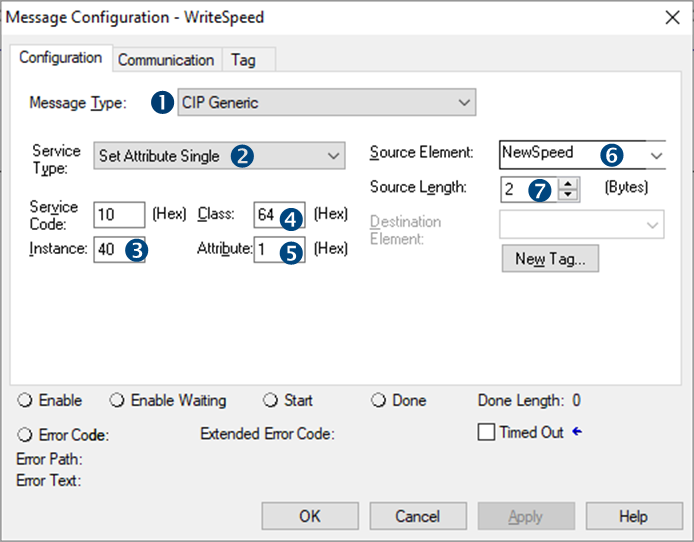
For this example, we have created an ERSC module in our Ethernet Tree and added a MSG Instruction to a ladder rung. We named this MSG block “WriteSpeed” and created the Controller Tag for it. With this MSG Instruction we are going to write a value for the Left Motor Speed at Module Address 4:0040. We also created a Controller Tag of data type INT we named “NewSpeed” which will hold the speed value we want to write to the module when we execute the MSG Instruction.
 |
From the Message Type drop down, select CIP Generic |
 |
From the Service Type drop down, select Set Attribute Single |
 |
For the Instance Field, enter “40” |
 |
For the Class Field, enter “64” |
 |
For the Attribute Field, enter “1” |
 |
For the Source Element, use the Tag Browser drop down to select NewSpeed |
 |
For the Source Length, enter “2” (2 bytes = 1 INT) |