
| Left to Right Flow Example |  |
| Right to Left Flow Example | 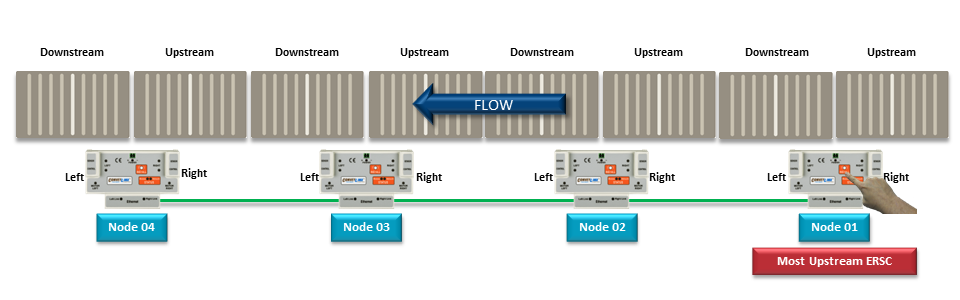 |
| Left to Right Flow with Opposite Side Module Example | 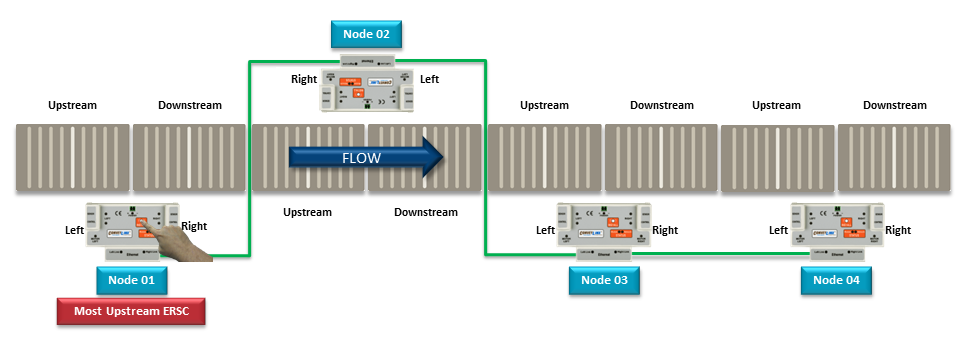 |


*Please note that the Flow is based upon the Ethernet cable routing during the Auto-Configure Procedure. The Flow direction cannot be changed or over-ridden. The only way to change the Flow direction is to perform another Auto-Configuration Procedure
| Left to Right Flow Example | |
| Right to Left Flow Example | |
| Left to Right Flow with Opposite Side Module Example | |