

(Before you begin, the staple grid must be cleared. Select Display Options/Display Staple Grid/Clear Staple Grid.)
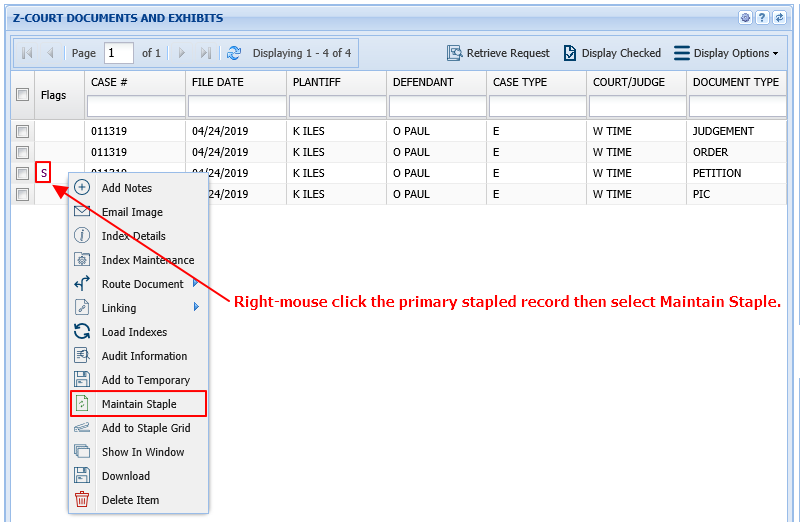
- Right-mouse click the primary record. (The record with the S in the Flags column.)
- Select Maintain Staple.
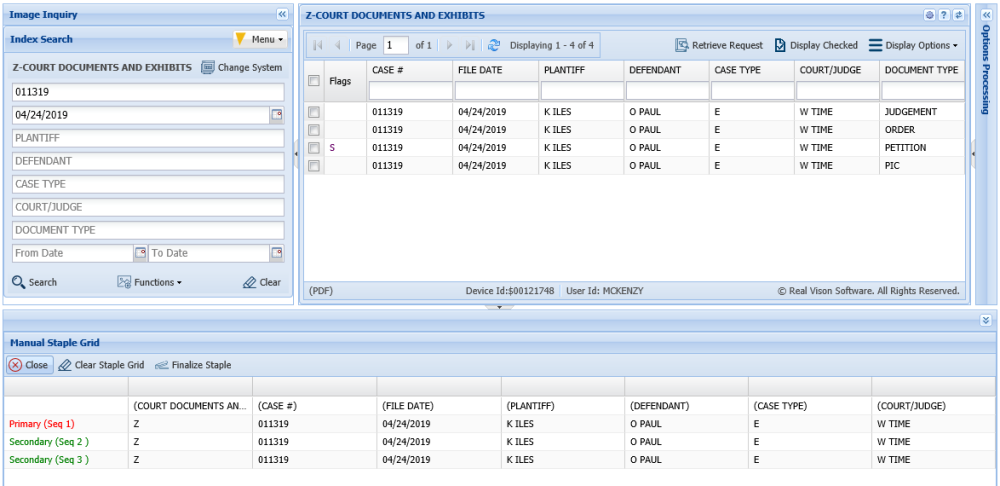
The Staple Grid will open with a list of the existing documents in the stapled bundle.
- Right-mouse click the record you want to remove.
- Select Remove Record.

- Click Finalize Staple to comlete the removal of the record and update the stapled bundle.
Post your comment on this topic.