


Processes are stored within Process Sets. Process sets are the top-level folders that help to organize related processes by business area, ownership, or any other relevant criteria. Processes can also be under another process as a sub-process; these are arranged in a hierarchical structure to simplify navigation and organization.
From the previous exercise, we imported a Process Set “People Caring,” a Process “Recruit to Hire,” and two sub-processes “Develop Job Description” and “Select Candidates” with its respective responsible roles.
On the software Visio, the processes look like this:


The import Visio function imports the BPMN shapes, the process and its sub-processes, as well as the roles responsible. The imported processes look like this on the EPC:

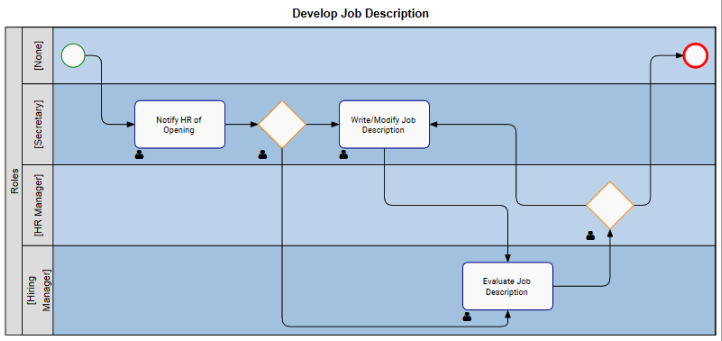
View of the process, and then click on the Options button  . A window with the Map Options will be generated. Make sure “Swimlanes” is set as “Display,” and “Roles” are set as “Swimlanes Matrix Y.”

Need more help with this?
Visit the Support Portal