


Widgets can be re-sized within a page to optimize the Home page of each individual user. Please see the instructions below to re-size Widgets.
1. Navigate cursor to resize icon  at the bottom right-hand corner of a Widget
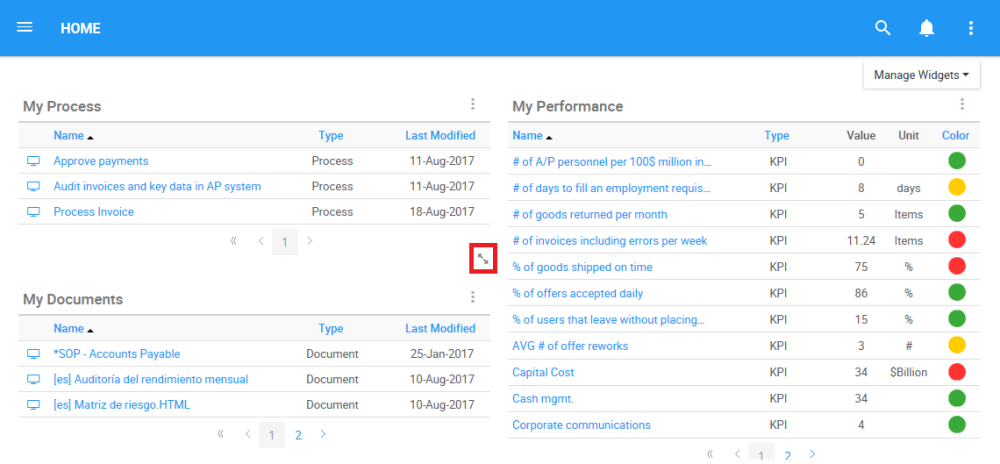
2. Select the icon and resize the Widget by moving the cursor around on the screen in front.
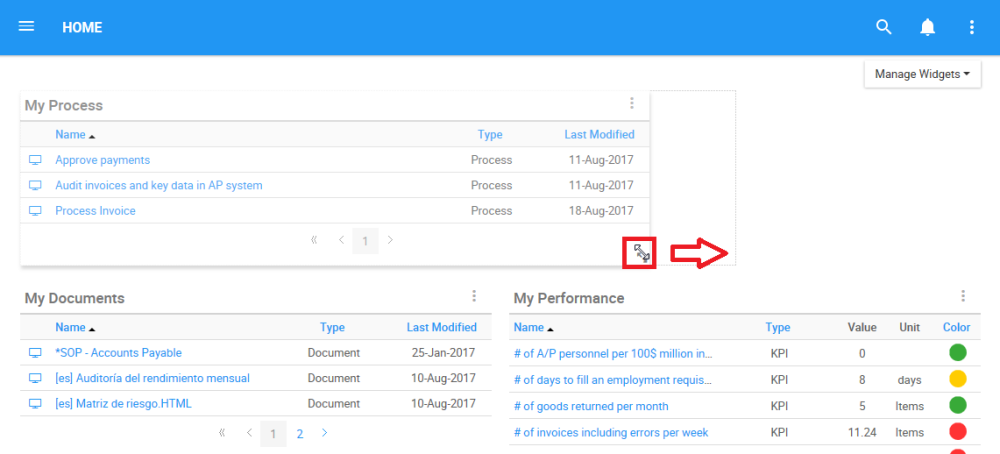
Resizing will allow users to feature up to 4 Widgets in a row, with no limitation per column. Resizing can also allow users to enlarge a particular widget, allowing it to be featured across the complete screen of a user as listed above in the Layout Options.
Need more help with this?
Visit the Support Portal