


The Enterprise Process Center (EPC) provides users with Risk Management, Tracking, Scoring and Analysis capabilities, making the system a fully functional risk management tool. This tool allows users to create and assess Risks, as well as analyze the relationship that Risks have with Controls and Processes.
Key Definitions
Gross Risk: The risk to the company in the absence of any actions (e.g. Business Rules, Controls)
Residual Risk: The risk to the company remaining after corrective actions have been implemented to reduce the impact and likelihood, and increase the detectability of a risk within the organization
Impact (Risk): Severity of the consequences varies in terms of cost and potential loss on health, human life, or other critical factors.
Likelihood (Risk): Probability of occurrence
Detectability (Risk): The probability of detecting the fallout and/or consequences associated with the Risk
In cases where users desire to set their own Residual Risk Scores (disagree with system score), users can manually override the system generated score and set their own respective Residual Impact, Likelihood and Detectability scores. To do so, users will have to click on the Override automatic control roll-up checkbox. This will allow a user to manually set the values they desire.
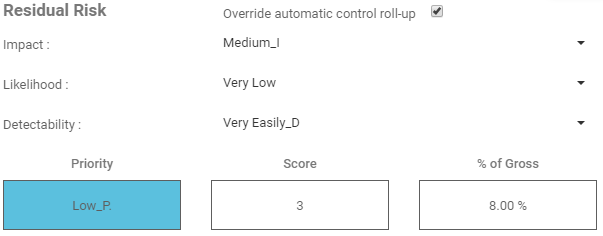
To Override the Residual Risk Scores:
1) Select the Risk you wish to view and open the Edit form by selecting the ‘Edit’ button

2) Expand the ‘What is the Risk Analysis’ section

3) Select the Override automatic control roll-up checkbox

4) Input your new values for Residual Impact, Likelihood and Detectability
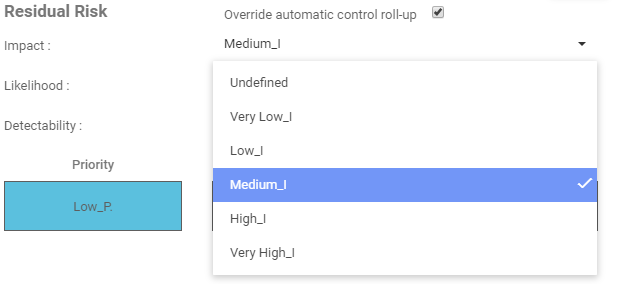
5) Observe and verify your new Residual Risk Scores
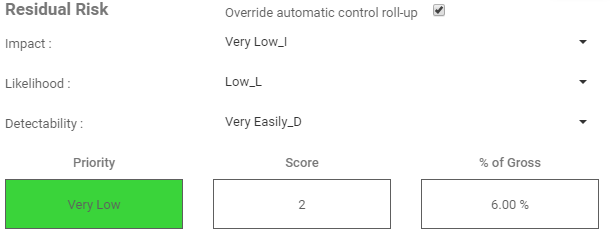
6) Select ‘Save’ to save the changes made to the risk

Need more help with this?
Visit the Support Portal