


The General subscreen is where many of the most important standard fields on a Transport Form are maintained. Some of these fields may drive some of the workflow and processes within your organisation’s ActiveControl setup.
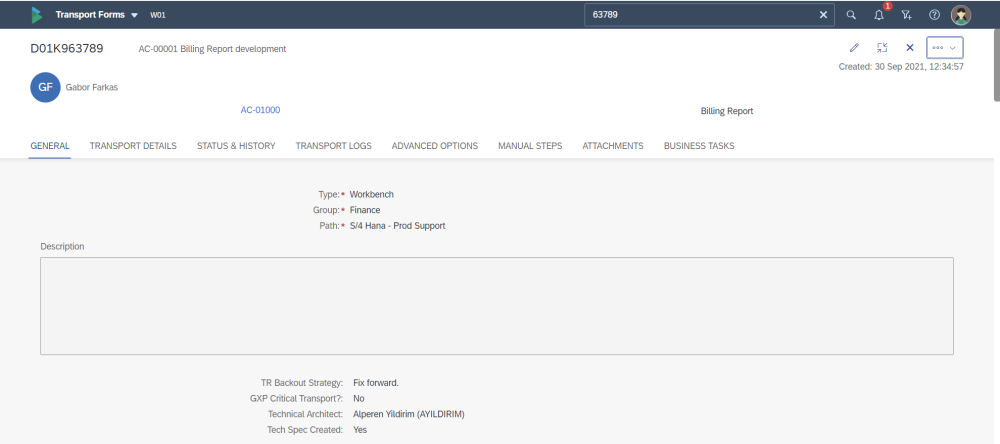
Figure: General subscreen on the Transport Form
| Field | Description |
|---|---|
| Description | Free-text description field for adding more information about the contents/purpose of the Transport. |
| Type | Typically used to present values such as “Workbench”, “Customizing”, “Transport of Copies” etc. |
| Group | Typically used to reflect the SAP Modules or similar business groupings within an Organisation. |
| Path | Defines the ActiveControl Path in which the Transport will be deployed. Note: It is not possible to add a Transport Path to more than one Transport Path. |
Mandatory field are indicated by a red asterisk * on the screen.
The Type and Group fields are dropdown fields, the meta-data behind these is defined and configured for your own organisation by your local ActiveControl Administrator
Post your comment on this topic.