


The first step in setting up the “signature and user image control” is to create an attribute the “Entity Designer” (See section 9).

1. Attribute definition
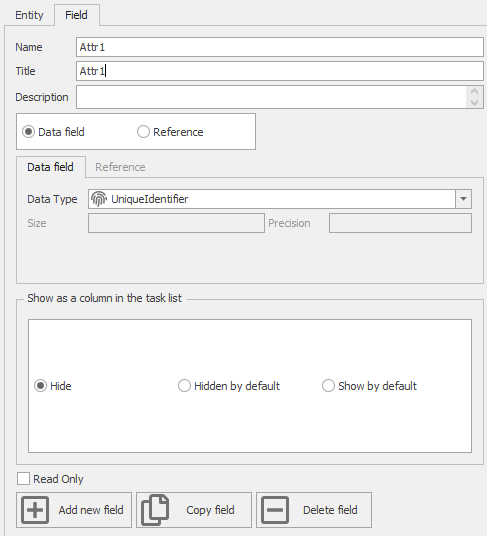
The first step is to create an attribute of the UniqueIdentifier type in an entity that is linked to the form of the signature control and user image.
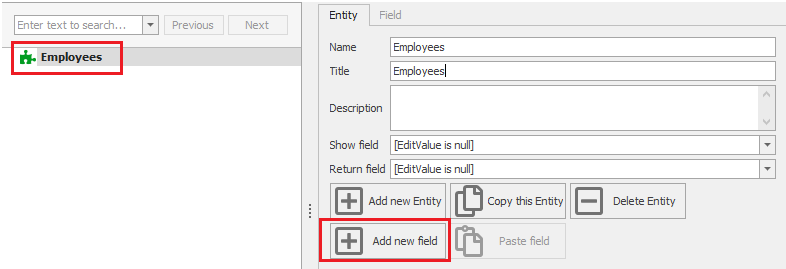
To create an attribute, click on the name of the entity, then select the “Add New Field” option.
2. Relationship between two entities

After defining the attribute, you need to set up communication through Foreign Key between the entities clicking on  button and then in the “System entities type” box.
To create a link, first select the button in the Related Model window and then select the users from the list of created entities. This will connect the user image and signature in the form to the user in the system

3. After completing the steps above, select the Save button to save the changes.