


Les modeleurs Web peuvent créer des objets dans l’Application Web et les organiser de manière hiérarchique dans une relation “Parent-Enfant”. Voir le tableau dans la section Création qui liste les relations Parent-Enfant par objet.
Créer un objet via le bouton “Nouveau” en haut à droite de l’Application Web
1. Click on the Navigation Menu Button on the top-left of your screen and navigate to the desired Module (for this example, the a document will be created under a parent folder)

2. Choose the parent object under which you would like to add the object. (for this example, we are choosing the folder “Recruitment” under “Human Resources” folder in the tree structure.)

3. Navigate to the  button on the top-right of the EPC WebApp page.
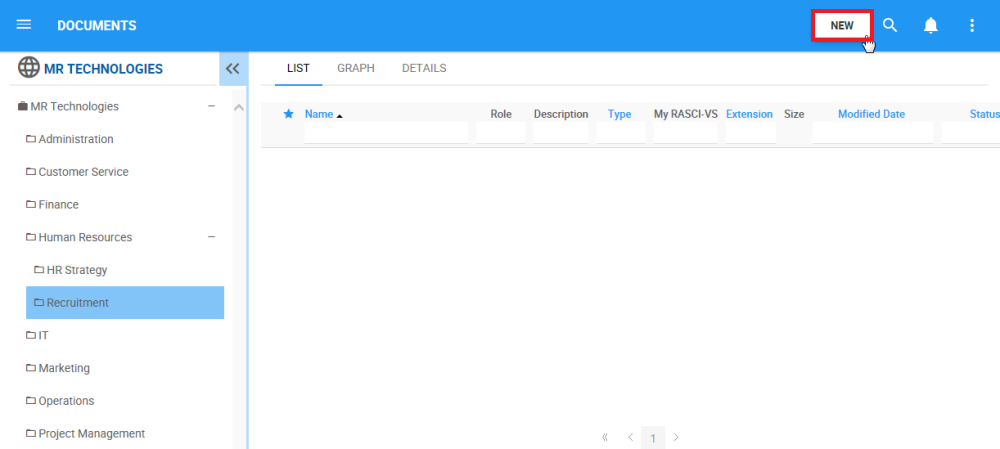
4. After clicking on the button, a drop-down menu will appear with all the modules of the EPC where a new object can be created.
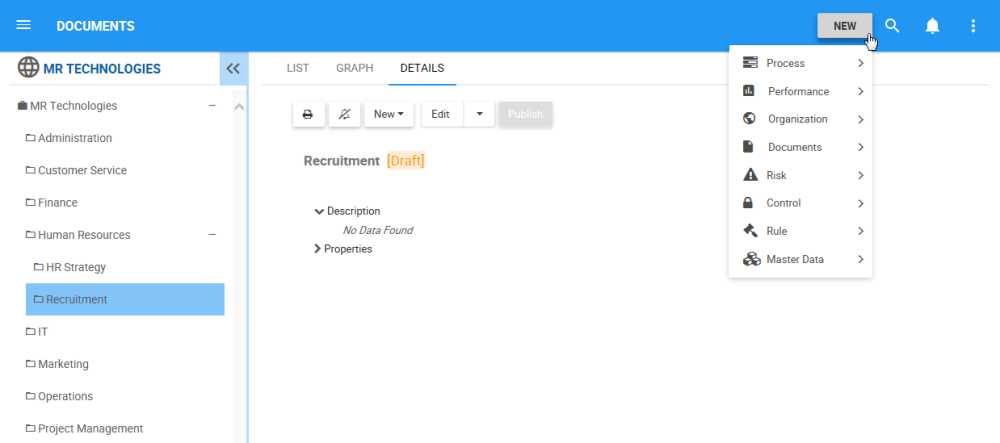
5. Navigate to the desired Module and click on the  icon. Another drop-down menu will appear with the different objects that can be created within the relevant Module.

6. Click on the object type you would like to create.

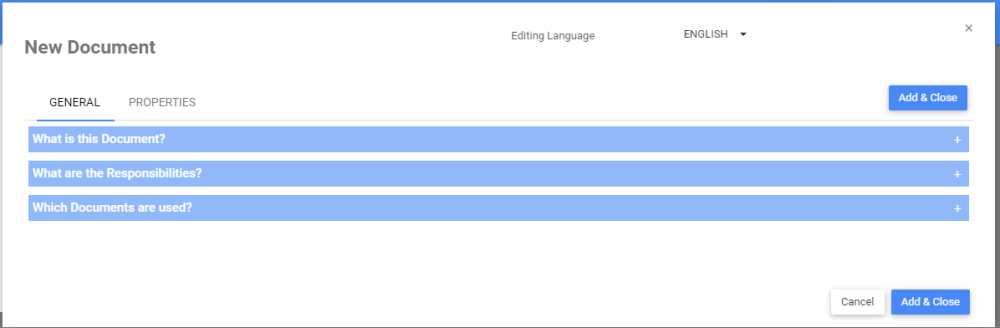
7. A form will be generated where you can input the information about the new object. See below for links to object-specific instructions to create object content.
- Input Performance objects information
- Input Organization objects information
- Input Documents objects information
- Input Risk objects information
- Input Control objects information
- Input Rule objects information
8. Click on the  button to finish the creation of the new object
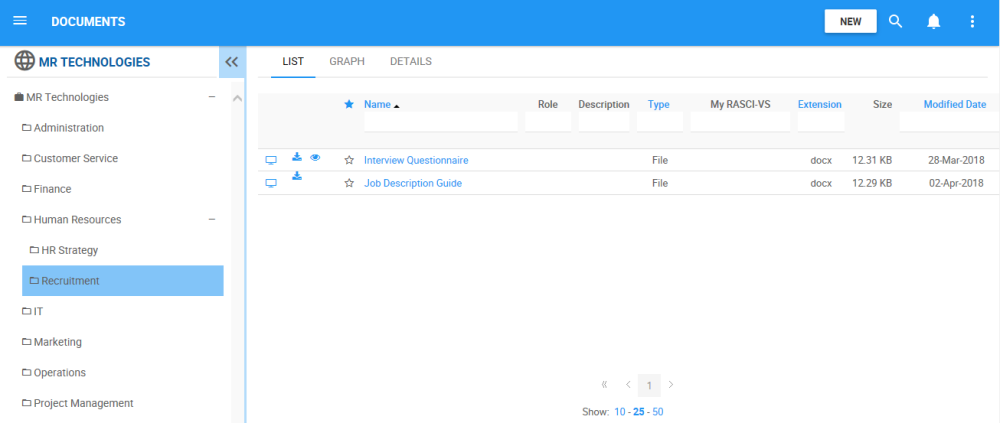
9. The new Document is now on the Document tree structure. This document is currently a draft. To learn how to publish Document objects, click here.
Besoin d'aide supplémentaire avec ce sujet?
Visit the Support Portal