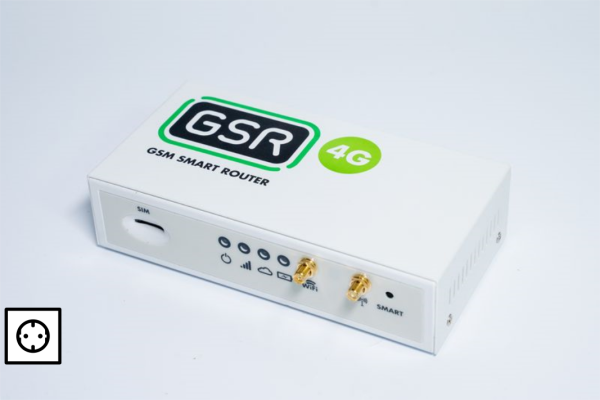
|
GSR Power Supply.
Power LED (
) Indicate whether the device is on or off.
| Device off | Device on |
|---|---|
| Led off | green Led |
E01 – The power LED does not turn on.
Check if the GSR is off or if the battery has a short lifespan.
Mobile network.
Signal bar LEDs. (
) Type of Registered Network.
| No Network | 2G Network | 2G Ongoing Call/SMS | 3G/4G Network | 3G/4G Ongoing Call/SMS |
|---|---|---|---|---|
| Led off | red Led | blinking red Led | green Led | blinking green Led |
E02a – The Signal bar LED does not turn.
Check if the GSR has no coverage.
E02b – The Signal bar LED is red (red 2G).
Check if the GSR has 2G mobile network.
GSR with Connection to NAYAR Services (VPN).
The cloud LED () indicates the GSR’s connection status to NAYAR services via the NAYAR VPN network. A blinking light indicates data transmission through the VPN.
| No Nayar VPN connectivity | Nayar VPN Connectivity OK | Data transmission in progress |
|---|---|---|
| Led off | green Led | blinking green Led |
E03 – GSR is not connected to Nayar VPN.
Check GSR is not connected to Nayar VPN
General status of the GSR.
To check the general status of the GSR, you can request a report from the GSR by sending an SMS to the phone number (SIM number) installed in the GSR:
SMS: PinCode,C:rp
Default: 12345,C:rp
- See Response
[ {“id”:“gsr.a8504222220b”, “hw_version”:“1”,“sw_version:1.13.0”, “max17048.soc”: 91.8, “max17048.v”: 8.4,
“max17048.crate”: 0, “modem.csq”: 19, “modem.cops”: 7, “modem.icc”:“8934014022222259255”,
“modem.imei”:“889894031801736”,“n4m.online”: true} ]max17048.v: Battery voltage.
max17048.soc: Battery charge level percentage.
max17048.crate:
A negative value indicates the battery is discharging (no power supply).
A positive value indicates the battery is charging.
A value of ‘0’ means the battery is in “rest” mode, neither charging nor discharging.
modem.csq: Indicates the battery percentage in dB (min = 0, max = 32).
modem.cops: Indicates the type of network connected to (0 = 2G, 2 = 3G, 7 = 4G).
modem.icc: ICC number of the installed SIM card.
modem.IMEI: IMEI number of the modem.
n4m.online: Indicates if the GSR is connected to Nayar’s VPN (private network); true means it is connected, and false means it is not.
Battery LED (
)
Displays battery level.
| Optimal battery | Low battery |
|---|---|
| Led off | blinking red Led |
GSR with internal process ongoing
The LEDs flash non-simultaneously to indicate an internal process in progress. During this process the GSR is not ready for operation.
E04 – Does not make a call when pressing the emergency button. The autodialer initiates the call, gives a message, but does not give tones.
E04a – The GSR does not provide a telephone line. Check GSR Without Telephone Line Output .
E04b – Problems with the installation of the telephone line . Check Autodialer without telephone line.
E04c – Autodialer not configured . Check Autodialer does not establish communication when calling.
E05 – Call is initiated but there is no response. The autodialer initiates the call, gives a message, gives tones, but no one answers.
E05a – Incorrect autodialer configuration. Check Autodialer does not establish communication when calling.
E05b – Problems with the emergency center of the maintaining company or with the operator’s services. Check Autodialer does not establish communication when calling (Incidence in the control centre).
E06 – The autodialer does nothing when pressing the emergency button.
Check Autodialer does not initiate emergency call. .
GSR configured as autodialer.
E07 – Audio module does not make call.
Check MK-791 / 891 does not make call.
E08 – Audio module plays “line busy” message.
Check audio module plays “line busy” message.
E09 – Audio module neither makes calls nor plays messages.
Check audio module neither makes calls nor plays messages.
E10 – Audio module volume settings.
Check MK-791 / 891 volumes incorrect.
Telemetry.
E11 – During the GSR installation process, it does not communicate with the lift controller.
Check GSR without communication with the lift controller
E12 – Installed GSR has lost communication with the lift controller.
Check GSR has lost communication with the liftcontroller
E13 – CAN communication failure with the liftcontroller.
Check CAN communication failure