

| Go to ‘Troubleshooting Guide’ |  |
Go to ‘Hardware Index’ |
Power Supply of the GSR.
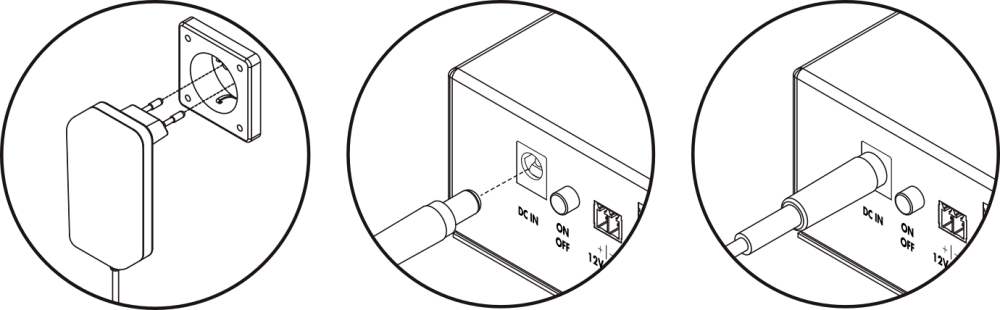
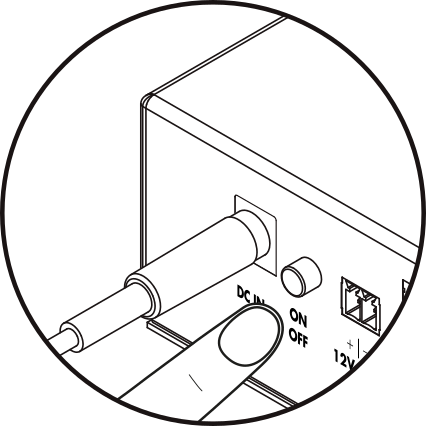
All LEDs are off after pressing the power button.
1º- Check that the power supply connection point has a correct and stable voltage, without automatic or accidental disconnections.
- If the power supply is connected to a point in the electric installation that has automatic power cuts, it will cause the device to operate on battery, and it will turn off when the battery is exhausted, such as in the automatic cabin light shutdown, or in some private homes or public buildings that disconnect the electric installation when not in use or when the building is closed.
2º- Check that the device is on and the power supply is connected.
- Make sure the power supply is connected to the GSR’s power input and the power button is pressed.
3º- Check that the power supply is connected.
- Ensure that the power supply is connected to a correctly functioning electrical connection point.
4º- Check that the power supply connection point has voltage.
- Verify with a multimeter that the electrical connection point of the power supply has a voltage of 230V AC.
5º- Check the power supply output voltage.
- The output voltage of the power supply should be 18V DC. If the output voltage is not correct, contact Support for replacement the power supply.
6º- Tighten the power supply connector and check that it makes good contact in the GSR input.
- If the issue is due to connector wear, contact Support for replacement the power supply.
- If the issue is due to the GSR input connector, contact Support for replacement the GSR.
7º- Connect the power cable and check if the red battery LED blinks.
- If the GSR has been without power for a while, the battery may be discharged and will recharge when connected to power for a sufficient time.
- Leave the GSR charging for about 20 minutes, then disconnect from power and check if the GSR stays on.
- If the battery does not keep the GSR on, proceed to replace the battery.
When there is a power outage, the GSR does not reach 1 hour of autonomy.
1º- Confirm that the GSR is being correctly powered.
- There may be an issue with the power supply, causing the battery to discharge.
2º- Keep the GSR connected to external power supply for approximately 2 hours to allow the battery to reach full charge.
- The battery should be charged and power the device for more than 2 hours.
3º- Confirm that the device is charging: Request a report via SMS.
- If the battery percentage (SOC) is not high or the charge status indicator (CRATE) does not show charging, it could indicate a malfunction of the GSR.
- Send:
SMS: PinCode,C:rp
Default: 12345,C:rp
Response: [ {“id”:“gsr.a8504222220b”, “hw_version”:“1”,“sw_version:1.13.0”, “max17048.soc”: 91.8, “max17048.v”: 8. “max17048.crate”: 0, “modem.csq”: 19, “modem.cops”: 7, “modem.icc”:“8934111111148059255”, “modem.imei”:“867582222222236”,“n4m.online”: true} ]
max17048.soc: Indicates the battery charge percentage.
max17048.v: Indicates the battery output voltage.
max17048.crate: Indicates the charge status of the battery management.
A negative value indicates that the battery is discharging (No power supply).
A positive value indicates that the battery is charging.
If the value is ‘0’, it means that the battery is in “rest”, neither charging nor discharging.
- If the power supply is adequate and the battery does not charge, contact Support for replacement the GSR.
Copyright © 2025 Nayar Systems
—
Powered by 