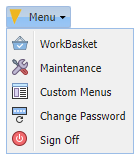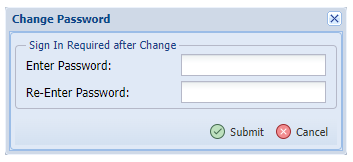
1. Select Menu, Change Password.
2. Enter a valid password.
Please follow the guidelines below:
- Up to 128 bytes.
- Allows for mixed-case, numeric, alpha, alphanumeric.
- Passwords should not begin with numbers.
- Allows special characters except for ~, %, ^, &, [, ], @.
NOTICE FOR CUSTOMERS USING PASSWORDS WITH LOWER CASE LETTERS.
RVI requires the control file parameter PWLOWER = Y when using lower case.
To create the PWLOWER control file parameter use these steps.
- From an IBMi command line, with RVILIB in your library list, type GO RVMAINT.
- Option 6 Maintain System Control File Parameters
![]() |
3. In capital letters type PWLOWER in the control file record field.
![]() |
4. In capital letters type Y in the description field.
![]() |
5. Press ENTER to save.
6. Press F3 to exit.


Post your comment on this topic.