
Audit is available in WorkBaskets and Image Inquiry. RVI also offers a dashboard for additional auditing.
WorkBasket Audit
To access the available audits, open the Workbasket tab by selecting Menu, Workbasket.
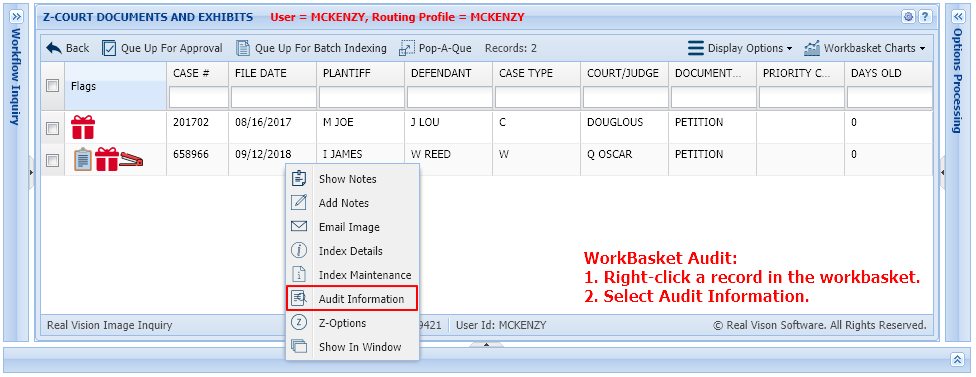
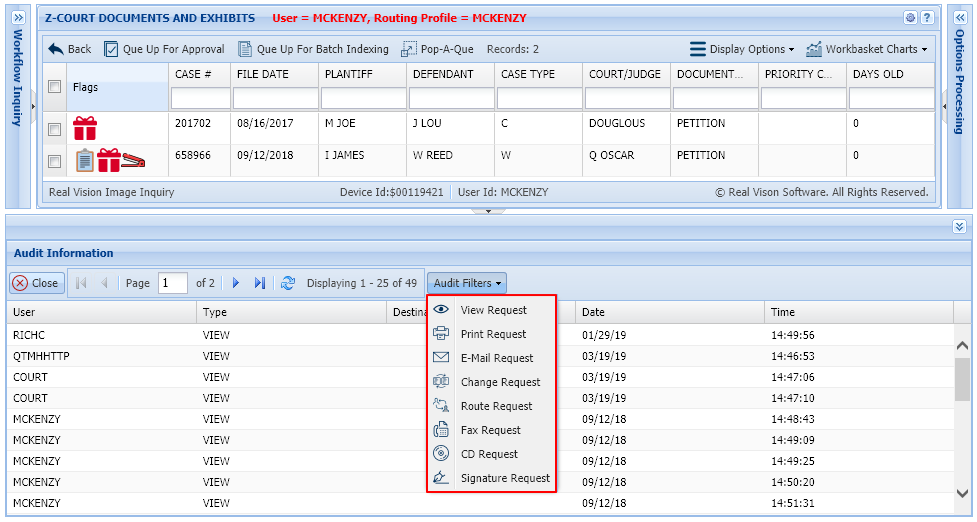
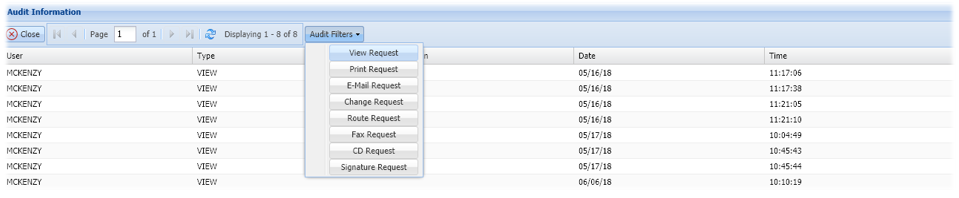
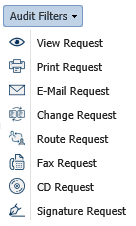
Click on the desired batch to be worked, then left-mouse click a record, select Audit Information to open the audit pane. Here you will find Audit Filters which allows the user to select the desired filter for the audit results.
 |
OR
Double-click a record to display a document. The audit options are found at the bottom left hand corner of the screen.
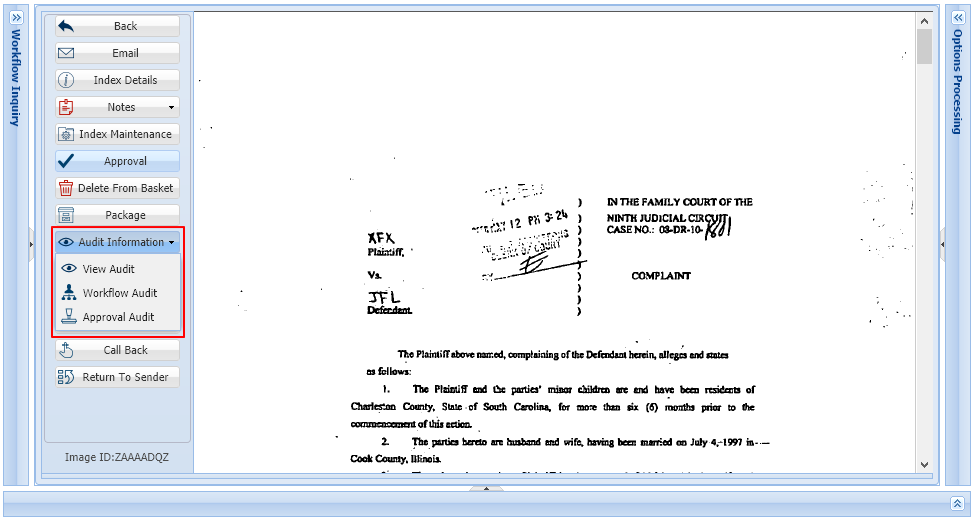
 to display the audit information pane along with the audit filters option.
 to display the workflow audit associated with the document being viewed.

 to display the results of the approval process(es) associated with the document being viewed.

Image Inquiry Audit
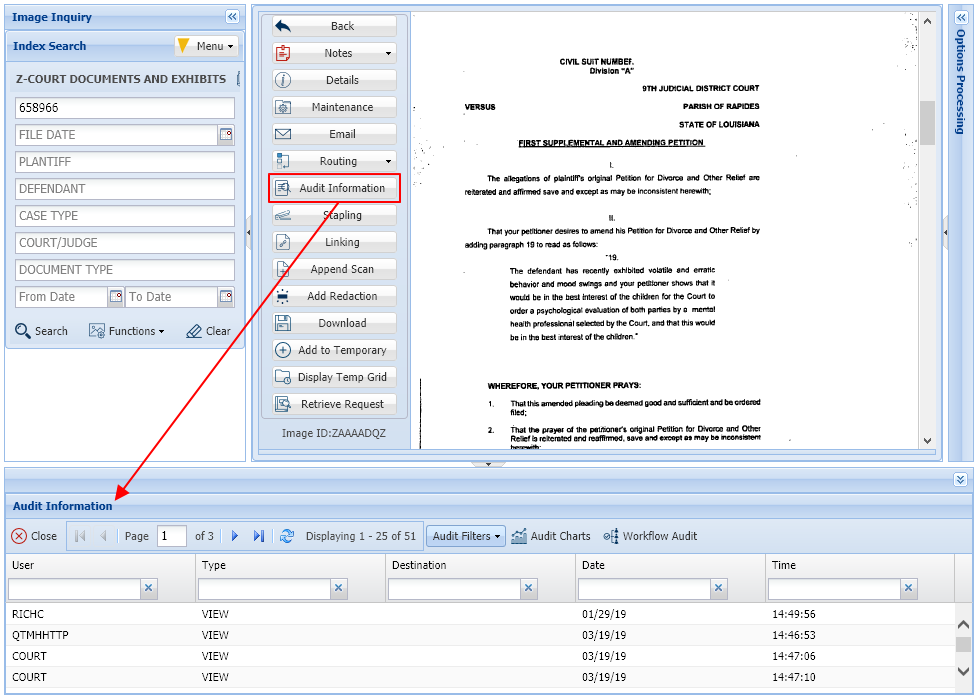
To access the available audits, right-mouse click or double click a record then choose Audit Information.
The audit information table will open at the bottom of the screen.
 |
Audit Information Options:
 to select the desired request type to be queried. By default, the audit request type is set to View Request.
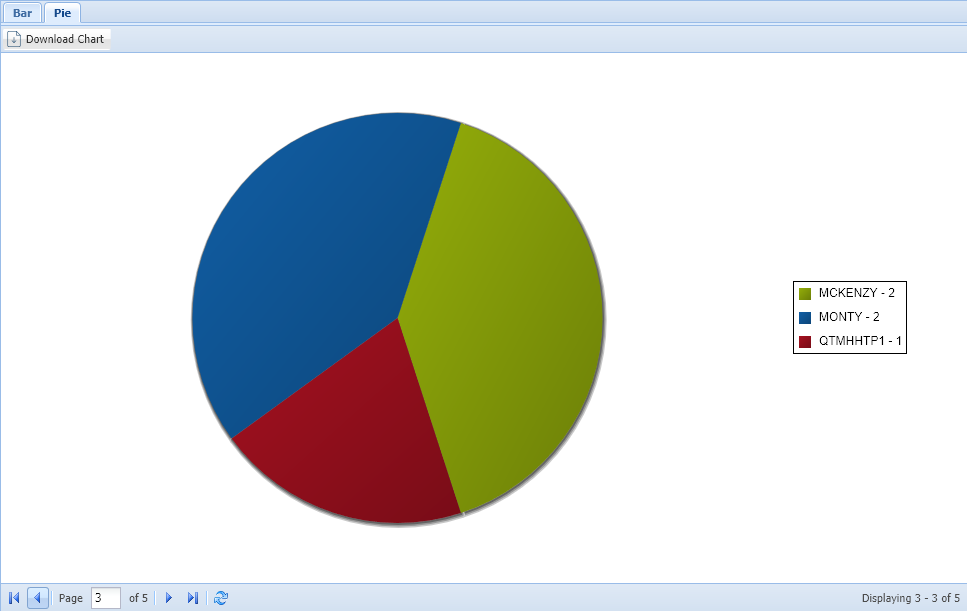
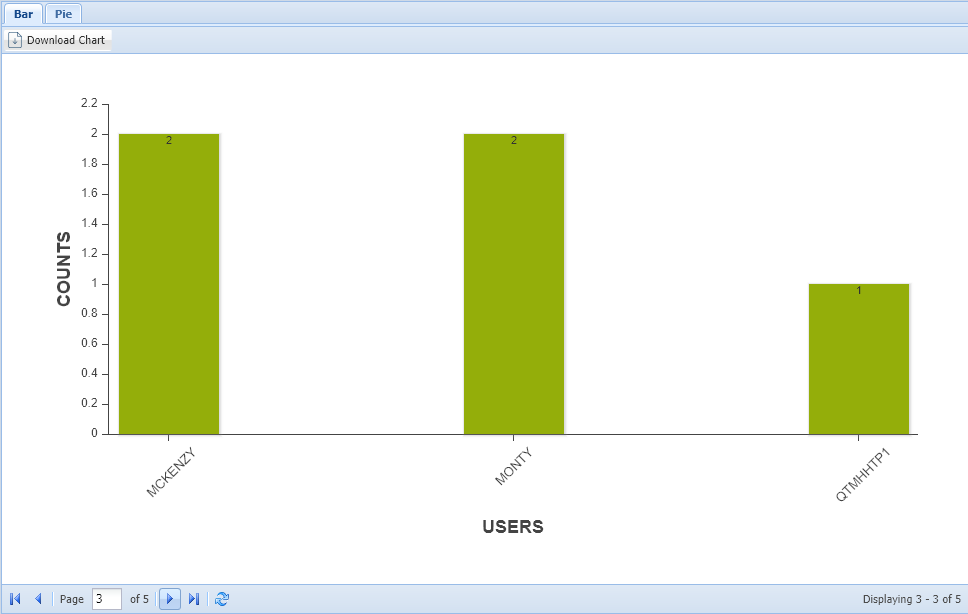
 to access downloadable bar and pie charts depicting the audit results.
 |
 |
 to display the associated workflow audit associated with the document being viewed.
Post your comment on this topic.