


Let’s start importing a process mapped on Visio. Download this file Visio Process – EPC Tutorial created by Interfacing Technologies for this product trial. This process is named “Recruit to Hire” and includes two sub-processes: “Develop Job Description” and “Select Candidates”
1. Navigate to the  icon; a drop-down menu will be generated. Choose “Import”

2. A window will be generated, where you will select the type of content you want to import. Select “Visio (.vsdx)”
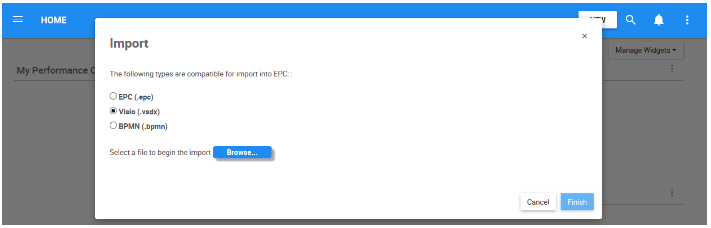
3. Navigate to the  box, go to your “Downloads” folder, and select the file “Visio Process – EPC 11 Tutorial”. Check the “Publish” box, allowing the objects to be published upon import. Click on the
  button to complete the import.

4. You will receive a notification when the import was successfully completed. Select the  button to navigate to the Process module to view the imported process. The process tree should look like this:

5. Navigate to Details View of the “Imported Process Set;” click on the  button. You will be redirected to the Edit Details window; change the name of the process set to “People Caring.” The process tree should now look like this:

6. Select the button to navigate to the Organization module and view the imported organization objects. The organization tree should look like this:

7. Repeat step 5 to change the name of the “Imported Org Unit Set” to “Big Business Enterprise” and the name of the “Imported Org Unit” to “Human Resources.” The organization hierarchy should now look like this:

8. Once you finished updating the names for these objects, use the  button available under the Details View of the object.
Haben Sie noch weitere Fragen?
Visit the Support Portal