

Report Types
Available report types are as follows:
| Report Type | Generated From |
|---|---|
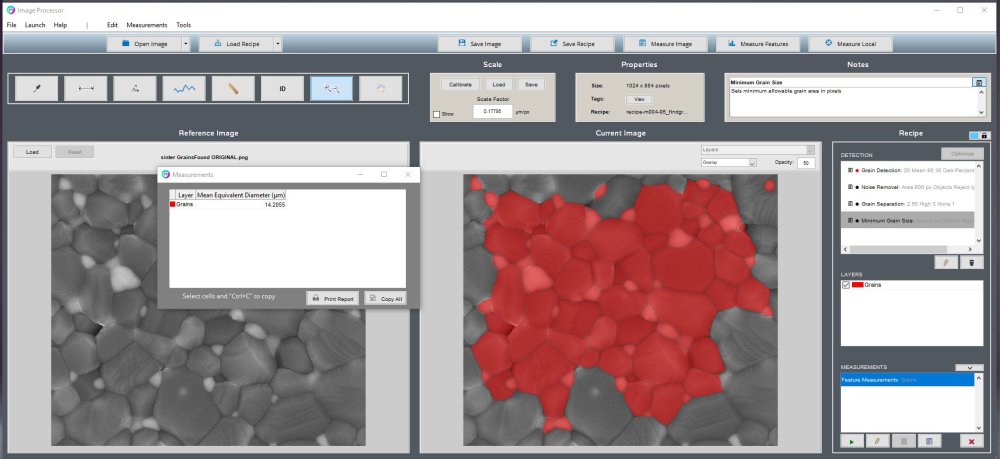
| Single Image Global | Global measurement table in Image Processor |
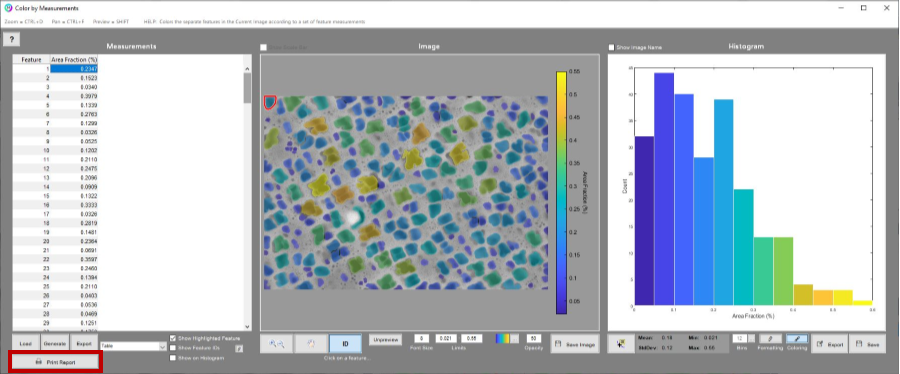
| Single Image Feature | Color by Measurements |
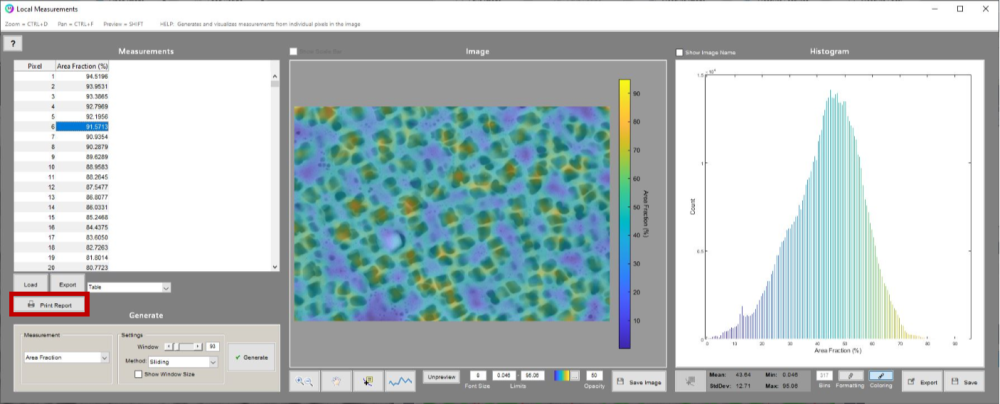
| Single Image Local | Local Measurements |
| Batch Image Global | Global measurement table in Post Processor |
| Batch Image Feature | Histogram of Measurements opened by Post Processor |
Generate Report Buttons
User can find the option to generate a report in most measurement windows.
Image Processor
Single Image Global

Single Image Feature
Single Image Local
Post Processor
Batch Image Global

Batch Image Feature

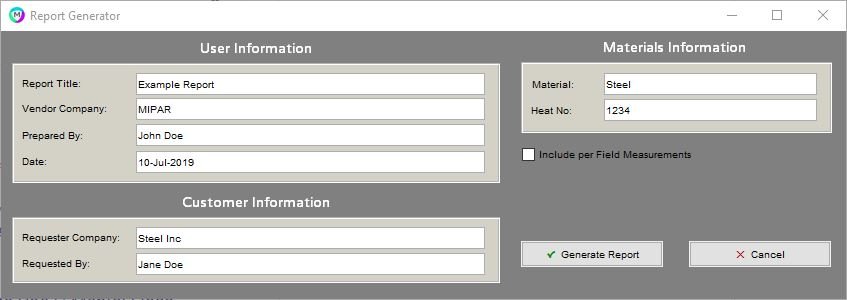
User Information
Below is a screenshot of the Report Generator interface. The information entered into the fields will be entered into the header of the report.
Report Generator Interface
Generated Report

Report Data
Below is a screenshot demonstrating how the data setup in MIPAR will be transferred into the Word report.
MIPAR Interface
Generated Report

Need more help with this?
Chat with an expert now ››
Copyright © 2025 MIPAR
—
Powered by 