


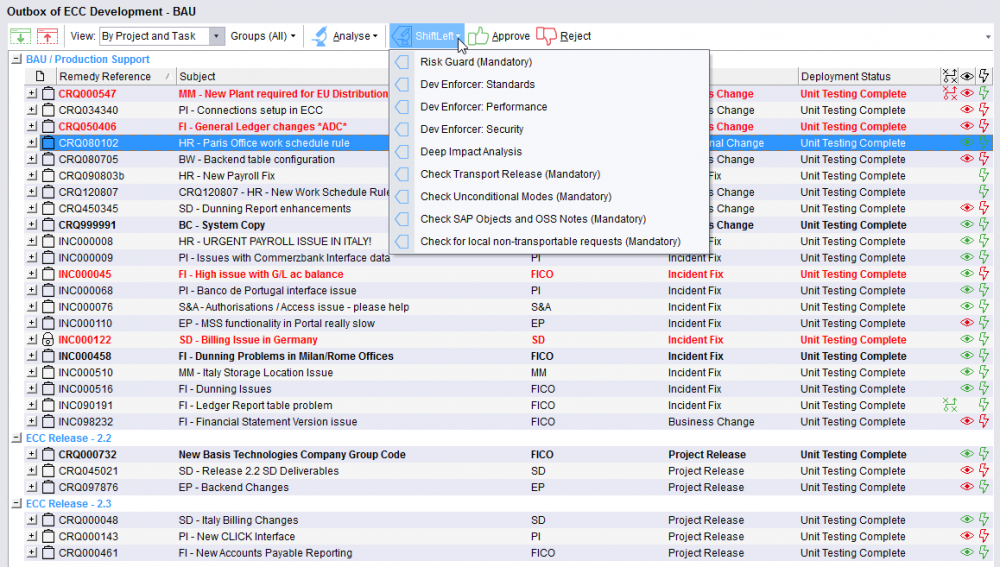
Prior to approval or import the tasks/transports can be analysed using the “Analyse” button. First highlight the items to be analysed or use CTRL-A to select all.
Individual ShiftLeft analyses can be run one by one or the General Analysis can be run to check everything in one step:
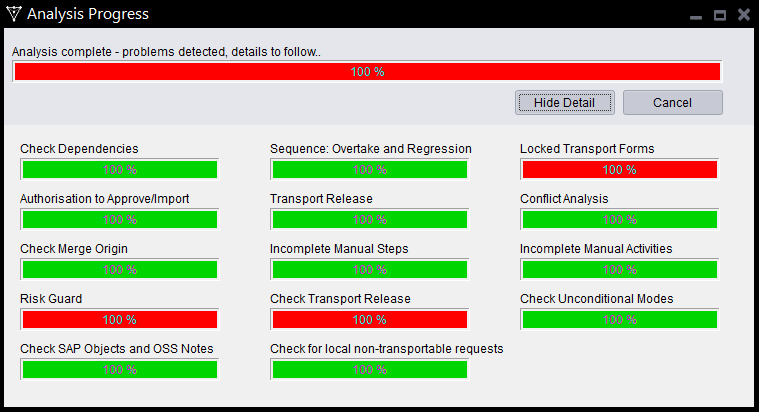
During the analysis a progress monitor is displayed so the current status of the analysis process can be viewed:
If any issues are found a popup window will be displayed to warn the user:
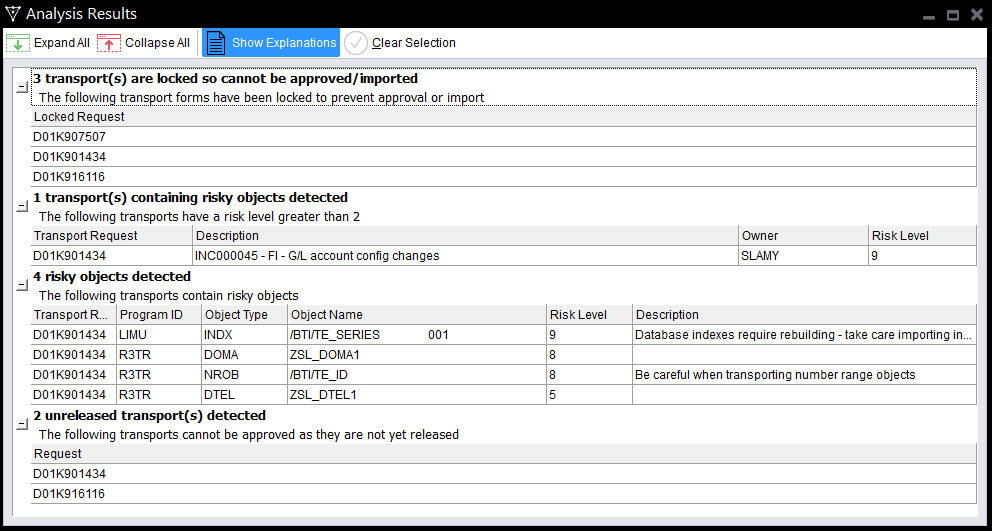
If a task is to be approved, use the  button. Any analysis issues will be output in the popup window but if required the user can Approve Anyway if authorised to do so.
If a task is to be rejected the  button can be used. A reason for rejection and comment can be added, and if required, the transports associated with the BusinessTask being rejected can be moved back to a chosen control point in the path between the current location and the last import queue.
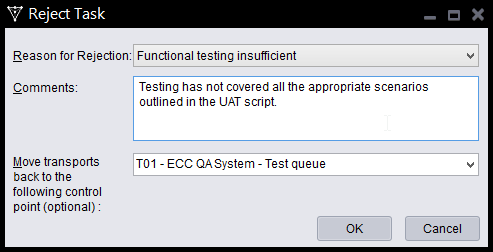
The rejection will automatically lock all associated transport forms in the location where the rejection is processed.
Notes
(1) It is not possible to reject at an individual Transport Form level, it can only be done at a Business Task level.
Post your comment on this topic.