
Master Timelines
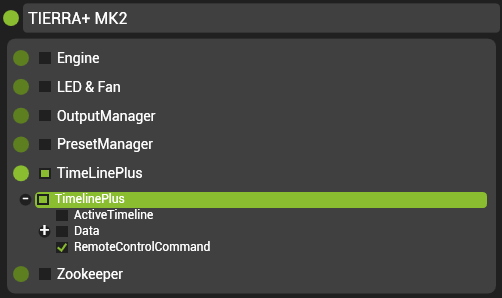
A timeline can be created to call upon other timelines using the ‘RemoteControlCommand’ pin in the PinTree. This pin is located at ‘TimelinePlus/TimelinePlus/RemoteControlCommand’. A keyframe in this track will store a string which can be used to recall commands relative to timeline IDs.
The following is a list of commands and their syntax:
| Command | String (# = Timeline ID) | Description | Example |
|---|---|---|---|
| Play | #->Play | Plays timeline with ID # | 1->Play |
| Pause | #->Pause | Pause timeline with ID # | 1->Pause |
| Stop | #->Stop | Stops timeline with ID # | 1->Stop |
| Mute | #->Mute | Mute timeline with ID # | 1-> Mute |
| Unmute | #->Unmute | Unmute timeline with ID # | 1->Unmute |
| Go Cue | #->GoCue([Cue#*1000]) | Go to cue number in timeline with ID # | 1->GoCue(1500) |
| Reset | #->Reset | Rewind timeline with ID # to the start | 1->Reset |
| Go To Next Cue | #->GoNextCue | Skip timeline with ID # to the next cue after the playhead position | 1->GoNextCue |
| Go To Previous Cue | #->GoPreviousCue | Skip timeline with ID # to the previous cue before the playhead position | 1->GoPreviousCue |
| Force Update | #->ForceUpdate | Force current pin values to those stored in playhead position within a specific timeline | 1->ForceUpdate |
Post your comment on this topic.