


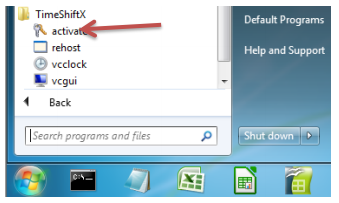
1. Click Start -> Program Files -> TimeShiftX -> activate
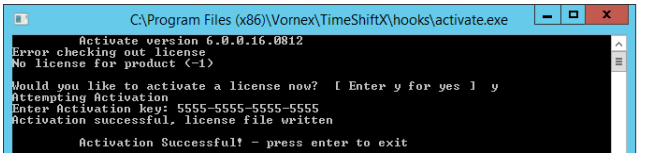
2. Type Y then press Enter
3. Type your 16-digit key then press Enter

4. If successful, you will see “Activation Successful”. Press Enter to finish.
a. If behind a firewall, open port 80 and retry key.
b. If unsuccessful, send the server output of ipconfig /all to support@vornexinc.com
Note: Do not change the OS system clock as it will break the license.
Licensing complete. Now see the section Windows Switch On – TimeShiftX.
Post your comment on this topic.